Impact:Trial requests jumped from 6 to 50/month · 223 total requests · 50 activated trials · 4 converted accounts
Role:UX Architecture, Product Design, User Flow Mapping, Cross-functional Collaboration
Collaborators:Julianna Green (Lead Engineer), PagerDuty Automation Team
Why
The only way to try PagerDuty’s automation feature was through a sales call or contact form — monthly trial requests sat at 6, and the feature couldn’t grow without a self-service path.
How
A self-service trial flow that accounted for two user types, multiple entry points, and every combination of permissions and trial states — turning an open-ended problem into a finite set of screens and components.
Impact
Trial requests jumped from 6 to 50/month · 223 total requests · 50 activated trials · 4 converted accounts
PagerDuty helps engineering teams respond to outages. One of its newer features automated parts of that response — but the only way to try it was through a sales call.
PagerDuty is incident response software — when a server goes down or a service breaks, it alerts the right people and helps coordinate the fix. Automation Actions was a newer feature that let teams automate parts of that response: running diagnostic scripts, restarting services, executing predefined fixes. But the only way to try it was to either have a relationship with a sales rep or submit a contact form and wait. Monthly trial requests sat at 6. The feature needed to become self-service.
I was working with two user types and multiple entry points — each combination of role and discovery point needed its own path.
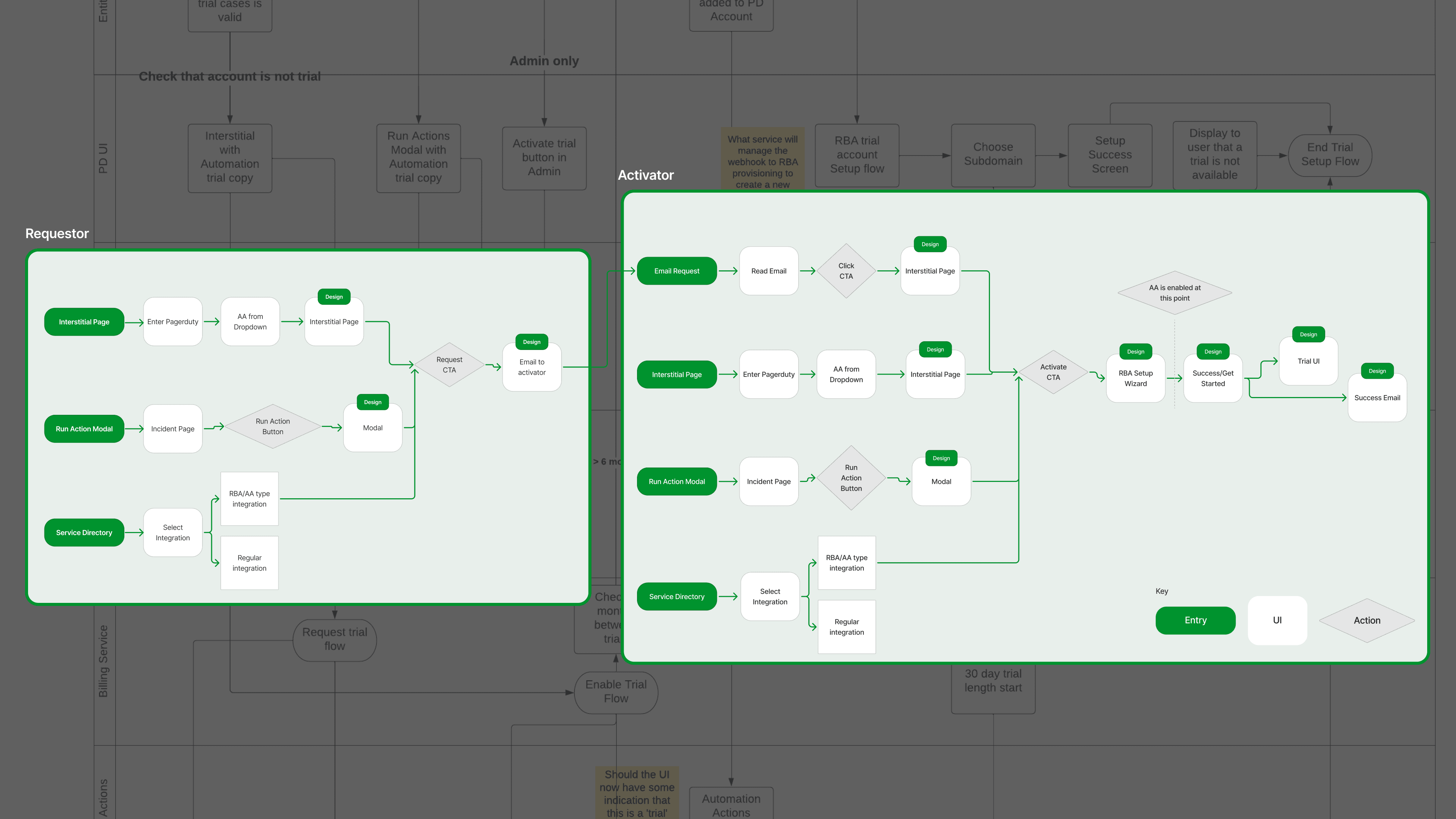
Through ongoing collaboration with Julianna, I used engineering constraints to define the design boundaries. The permutations collapsed into a focused set of deliverables: introductory landing pages, activation modals, a setup wizard, admin email notifications, success and error states, and a reusable React modal component. Everything was designed to fit into existing PagerDuty UI patterns and minimize net-new engineering work. This process involved healthy debates within the team about what to build and what to cut — I led those conversations and they produced clear outcomes.
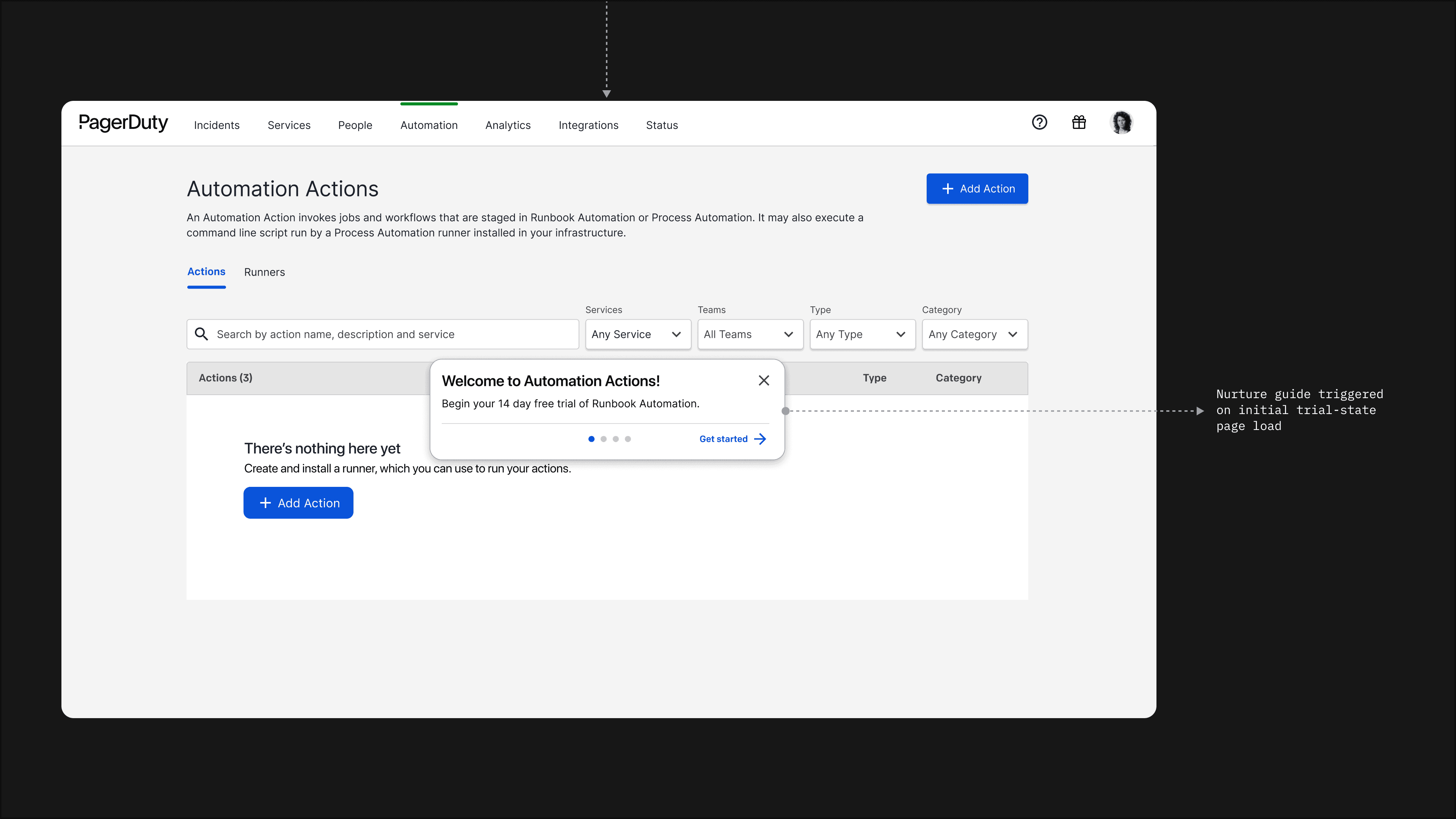
When a user encountered Automation Actions for the first time, an introductory page explained the trial and guided them toward activation based on their role.
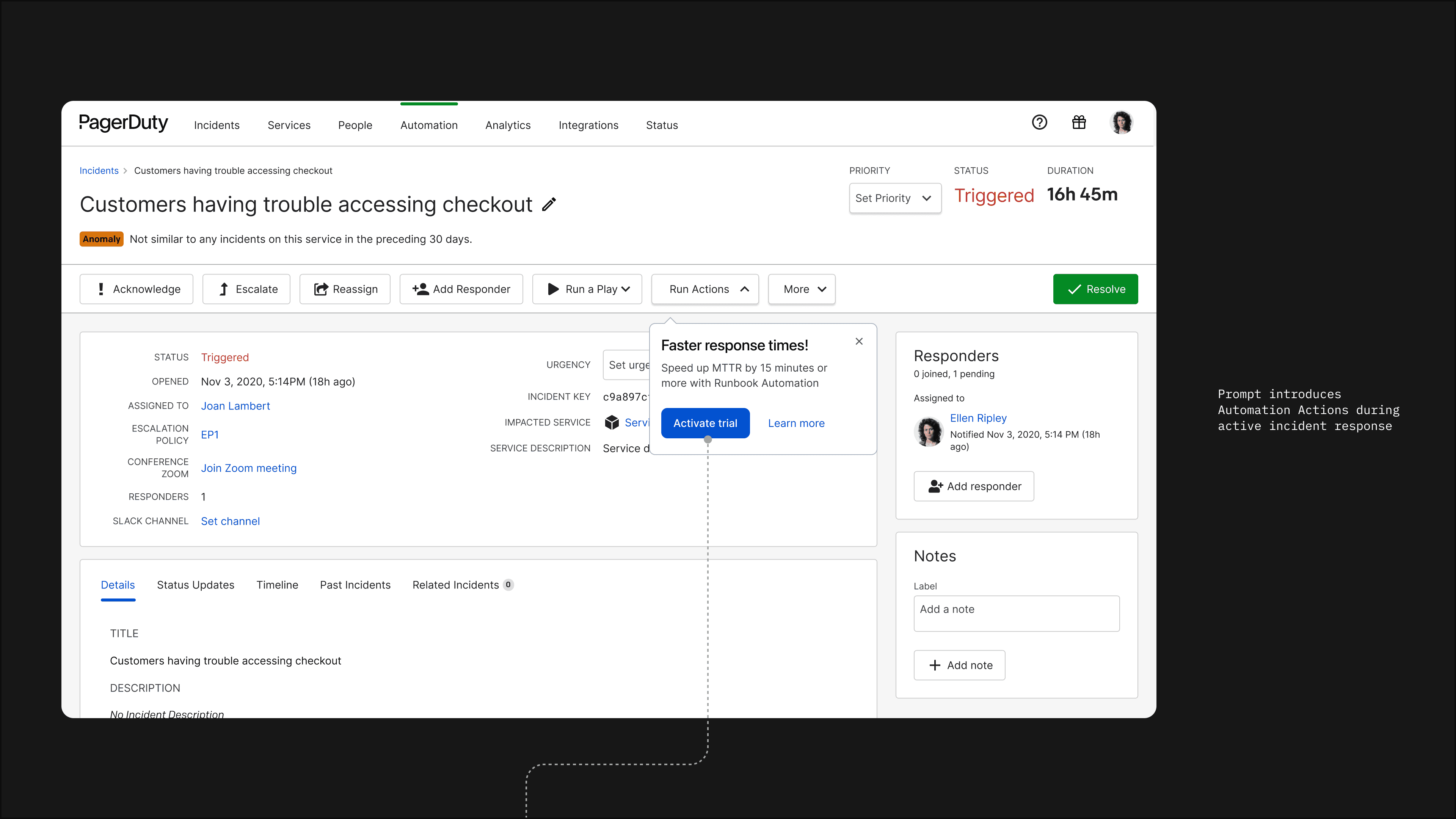
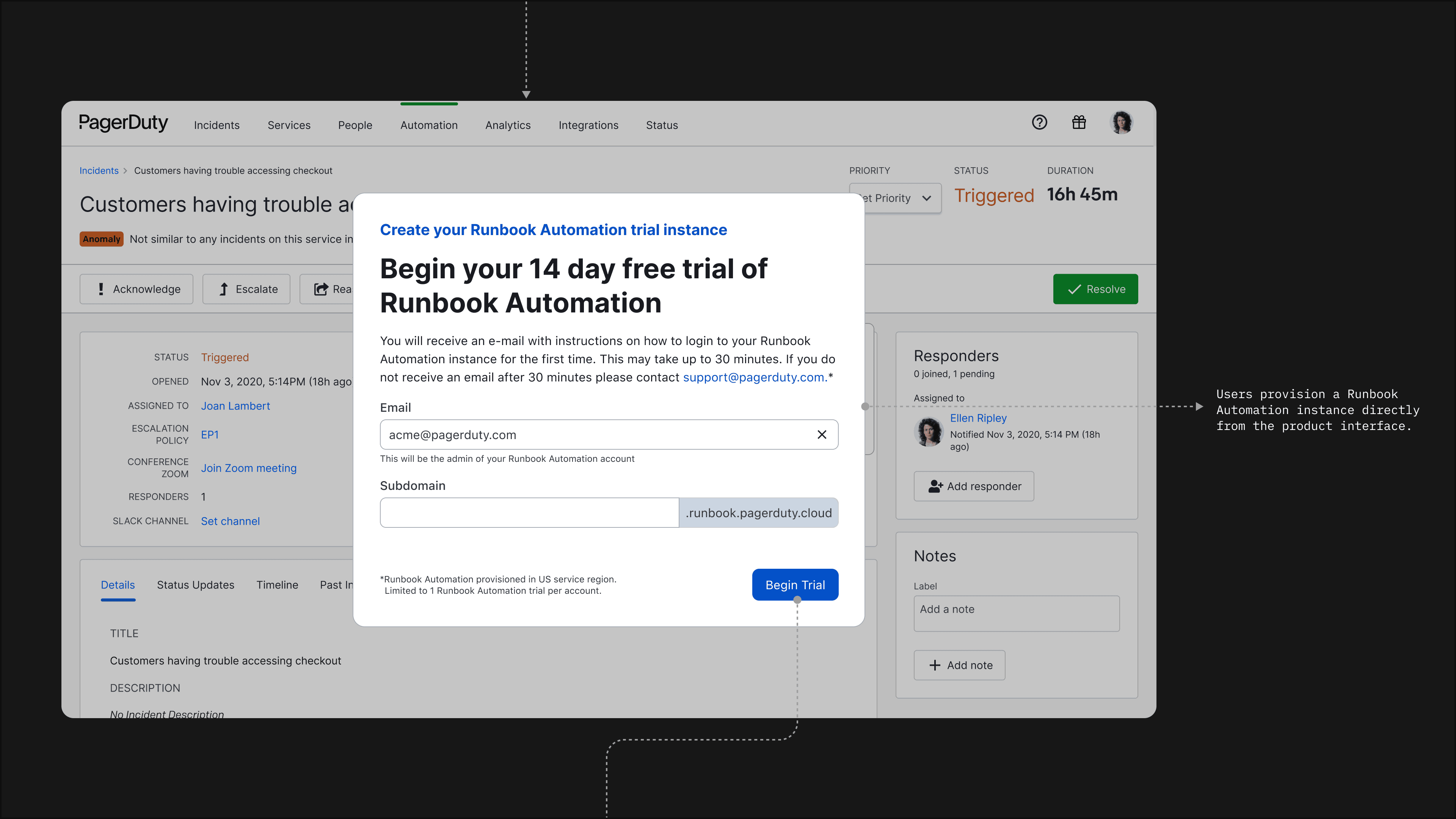
The other key discovery point was a modal that appeared when a user tried to run an automation on an active incident — admins saw “Activate trial,” general users saw “Request trial.”
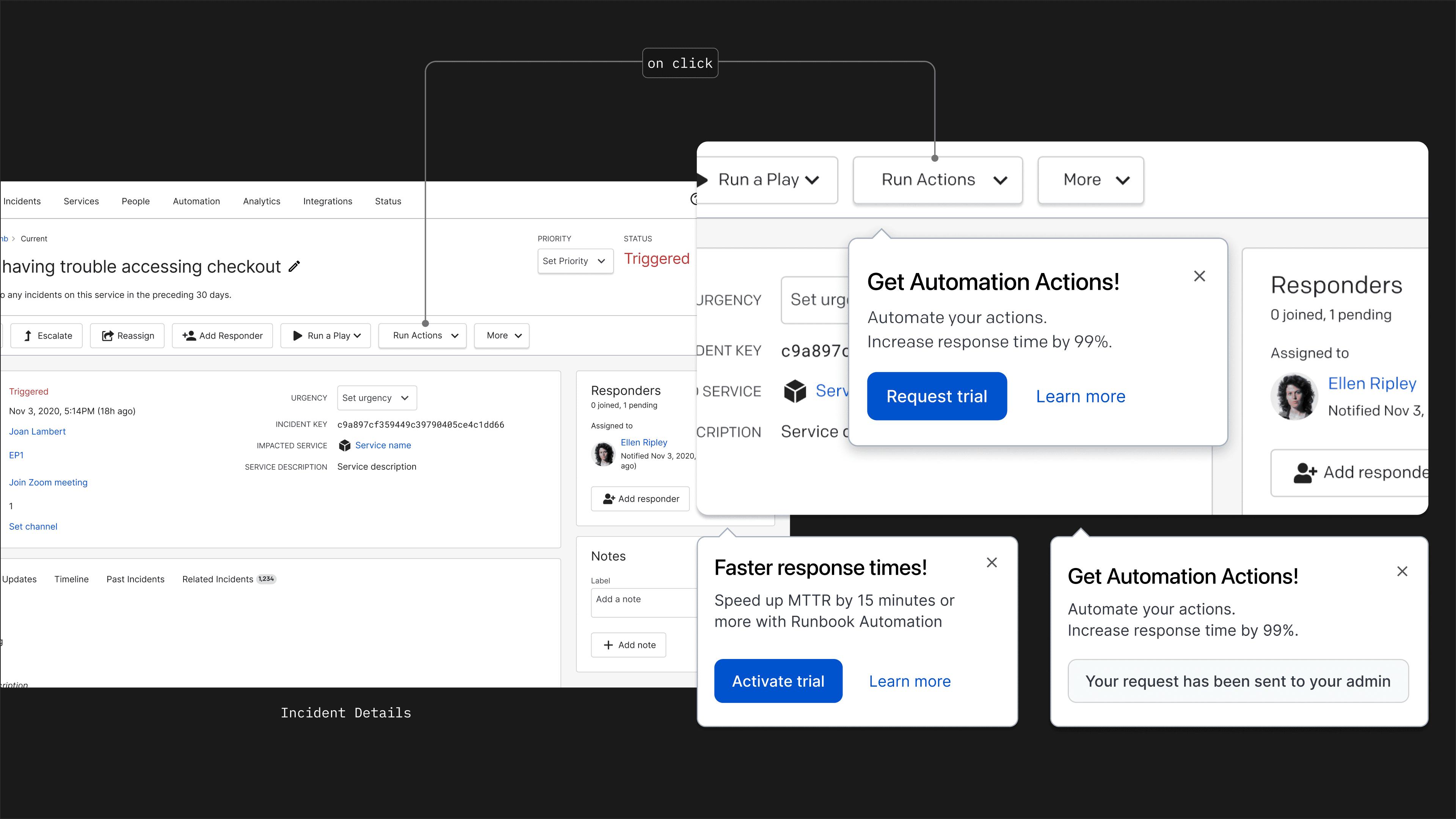
Every state needed a response — successful activation, pending request, ineligible account, duplicate submission.
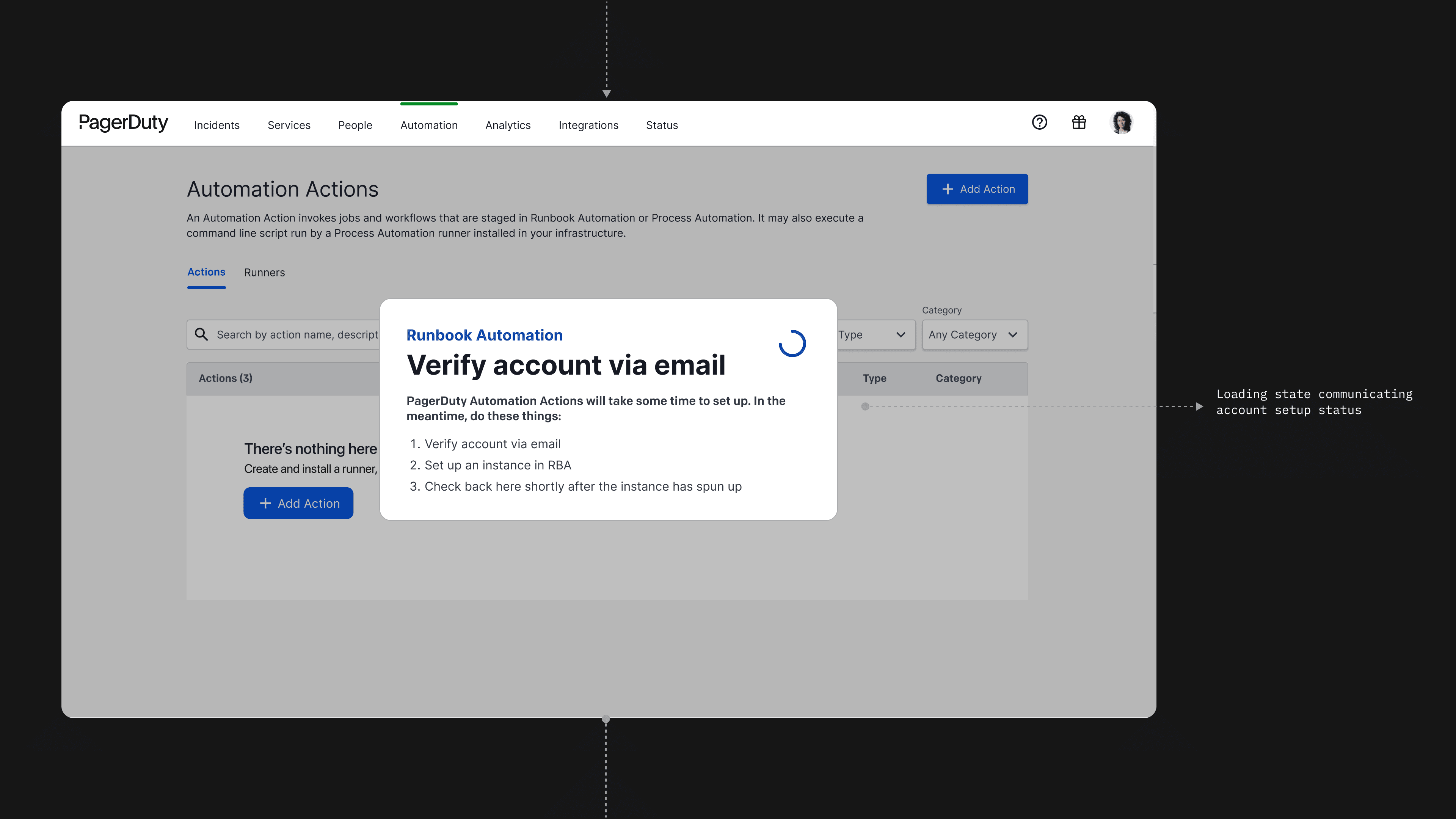
The trial also bundled a second product, Runbook Automation, and included a step-by-step onboarding guide to walk users through setup.
The trial wasn’t limited to Automation Actions alone. It also included Runbook Automation — a companion product that let teams define and manage more complex automated workflows. The two products worked best together, so the trial bundled both. To support onboarding, we introduced an in-app guide at the start of the trial that walked users through the setup process: connecting their automation runner, creating their first action, executing it on a live incident, and reviewing the output.
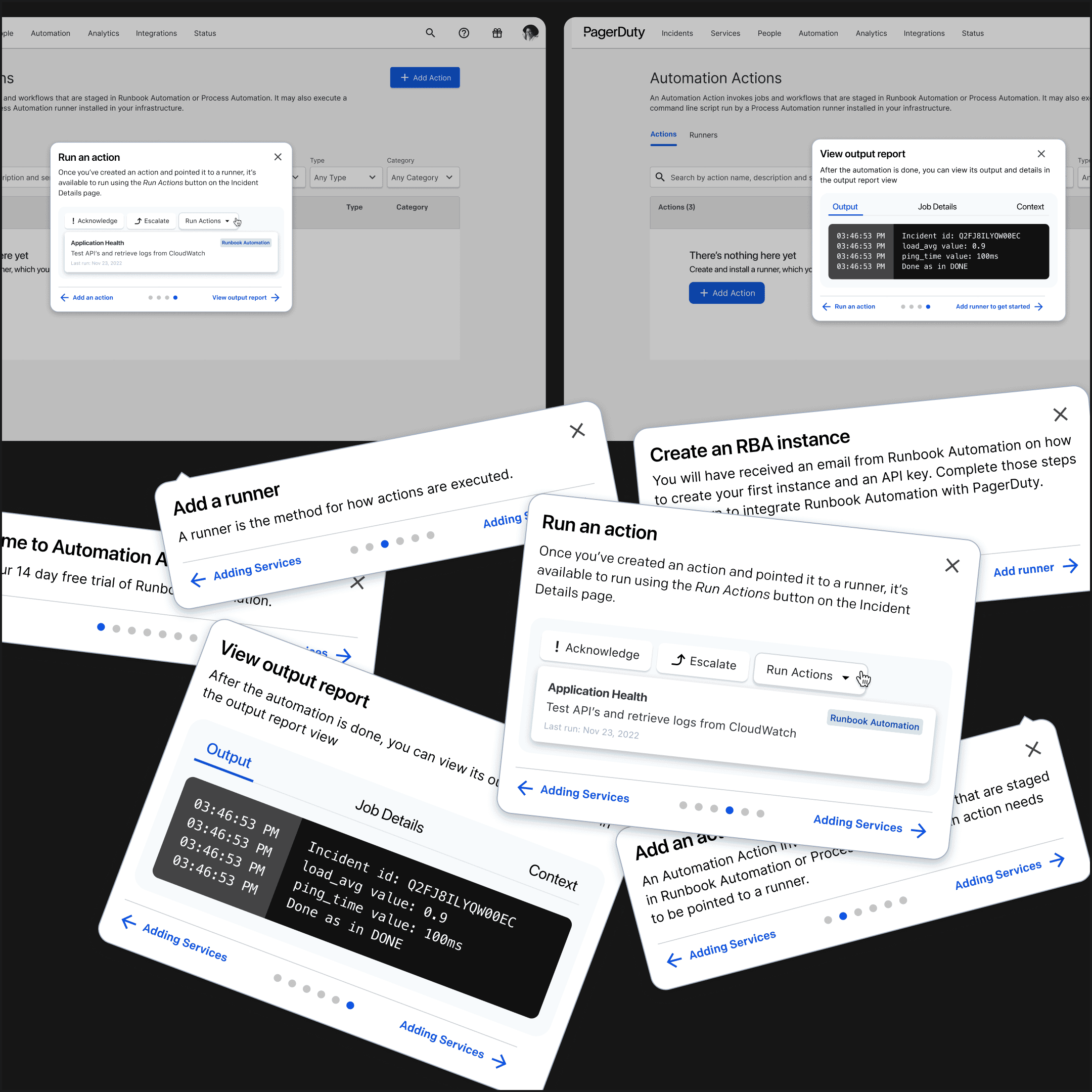
Here’s how the full activation flow played out — from discovery inside an active incident to the first day of the trial.