Impact:Trial requests jumped from 6 to 50/month · 223 total requests · 50 activated trials · 4 converted accounts
Role:UX Architecture, Product Design, User Flow Mapping, Cross-functional Collaboration
Collaborators:Julianna Green (Lead Engineer), Sean Noble (Product Manager) Jon Grieman (Engineering Manager)
Why
The only way to trial PagerDuty’s Automation Actions feature was through a sales call via contact form. Monthly trial requests sat at 6, and the feature couldn’t grow without a self-service path.
How
A self-service trial flow that accounted for two user types, multiple entry points, and multiple combinations of permissions and trial states.
Impact
Trial requests jumped from 6 to 50/month · 223 total requests · 50 activated trials · 4 converted accounts all after one month
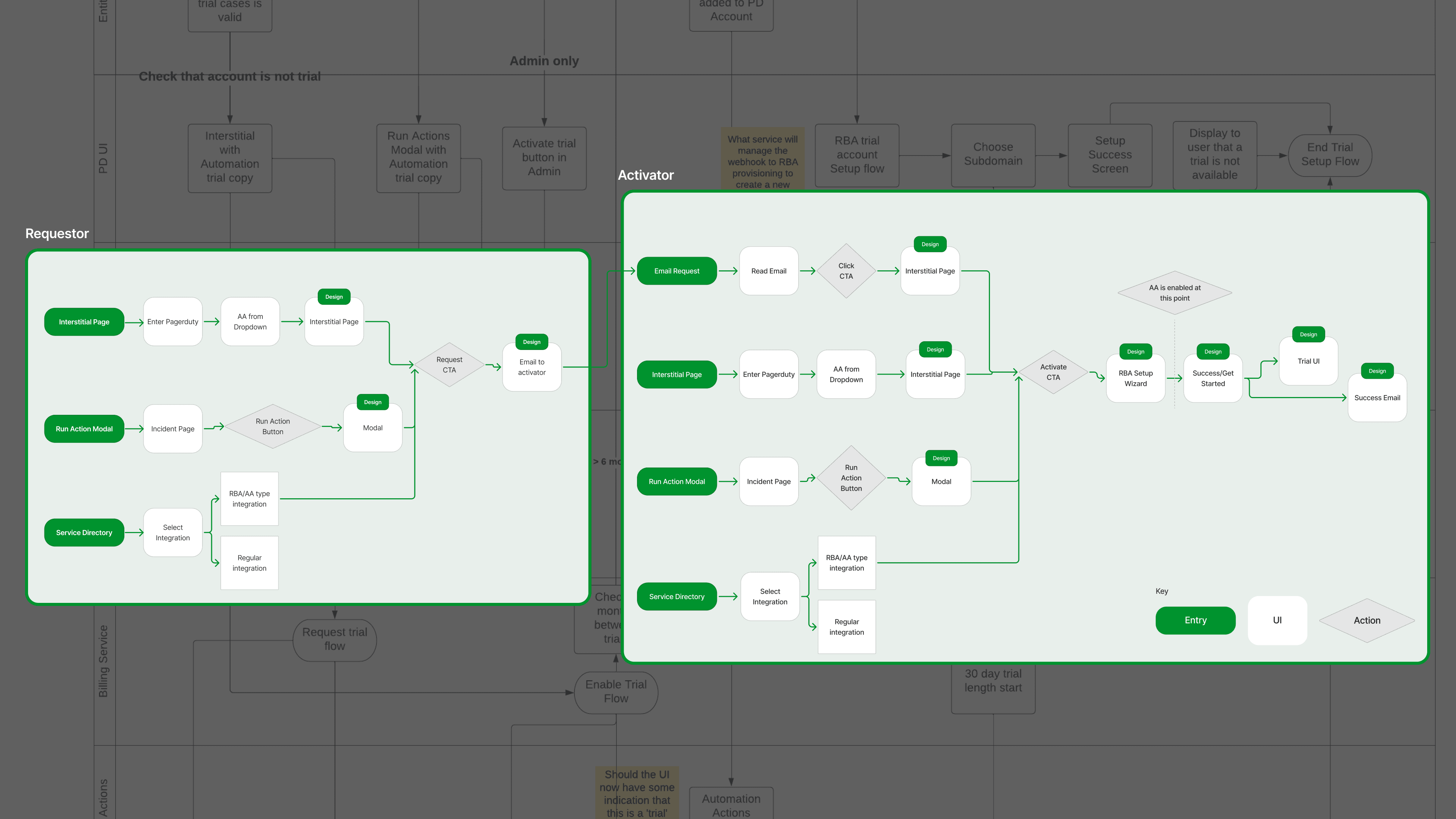
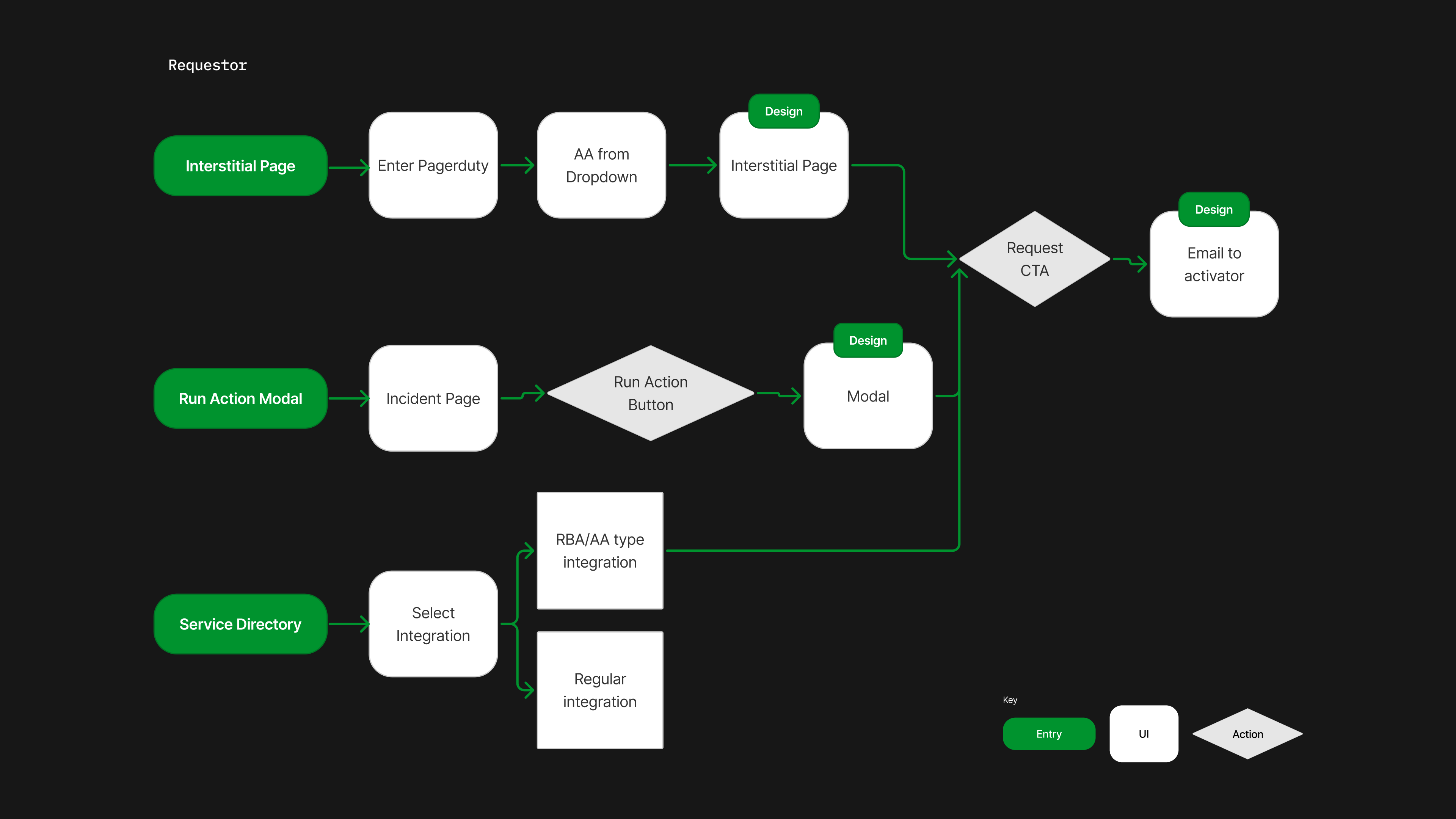
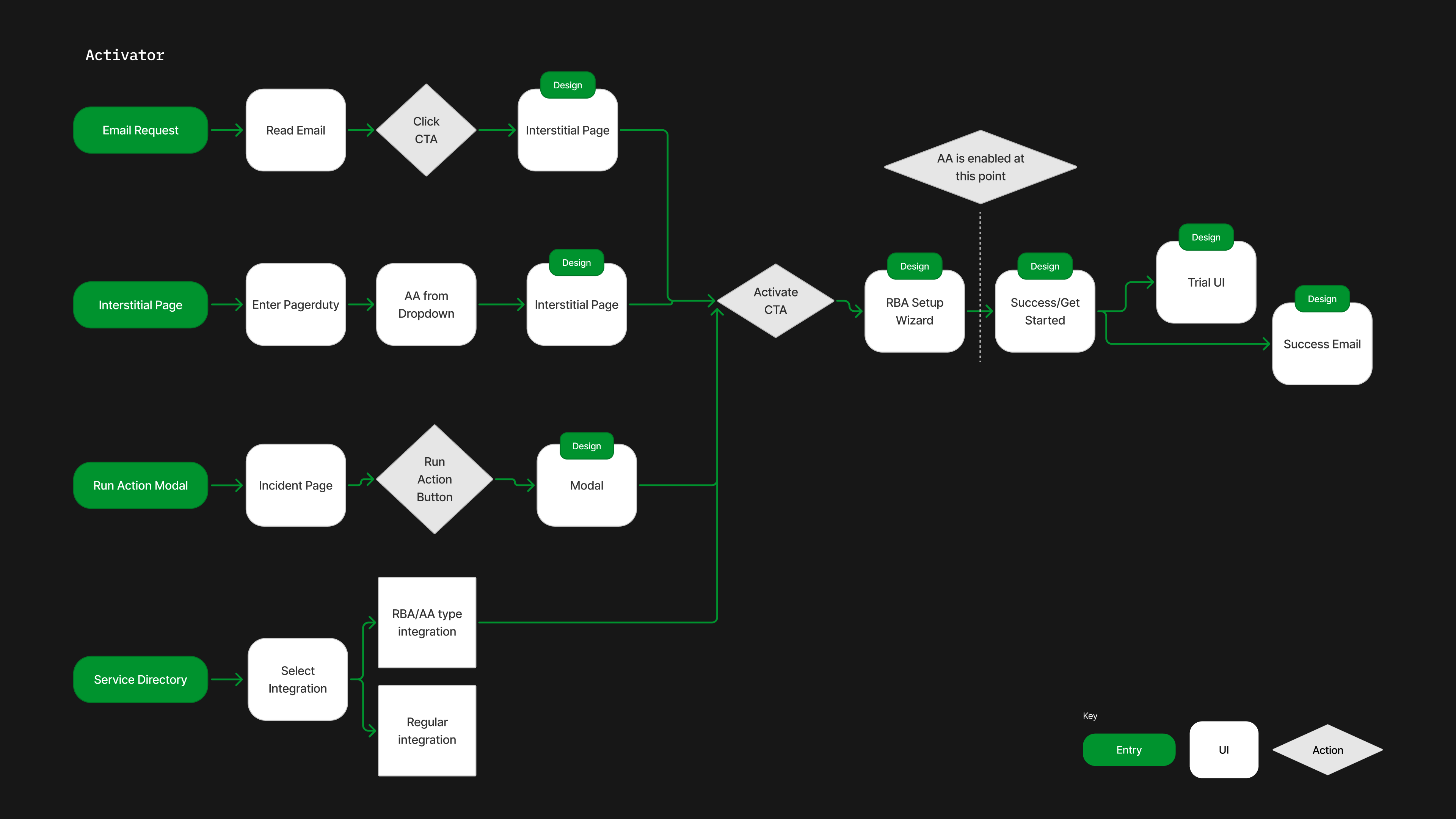
I started by mapping the two user types. Each had different permissions, entry points, and outcomes, and I needed to design for both simultaneously.
The requestor can discover the trial but can’t activate it, so I designed their path to surface the request to someone who can.
The activator hold the permissions to turn the trial on, so their path ends in a setup wizard, a live trial, and a success email.
I worked closely with the lead engineer to define the scope due to constraints regarding back-end permissions and available components, and we collapsed every screen into a clear flow.
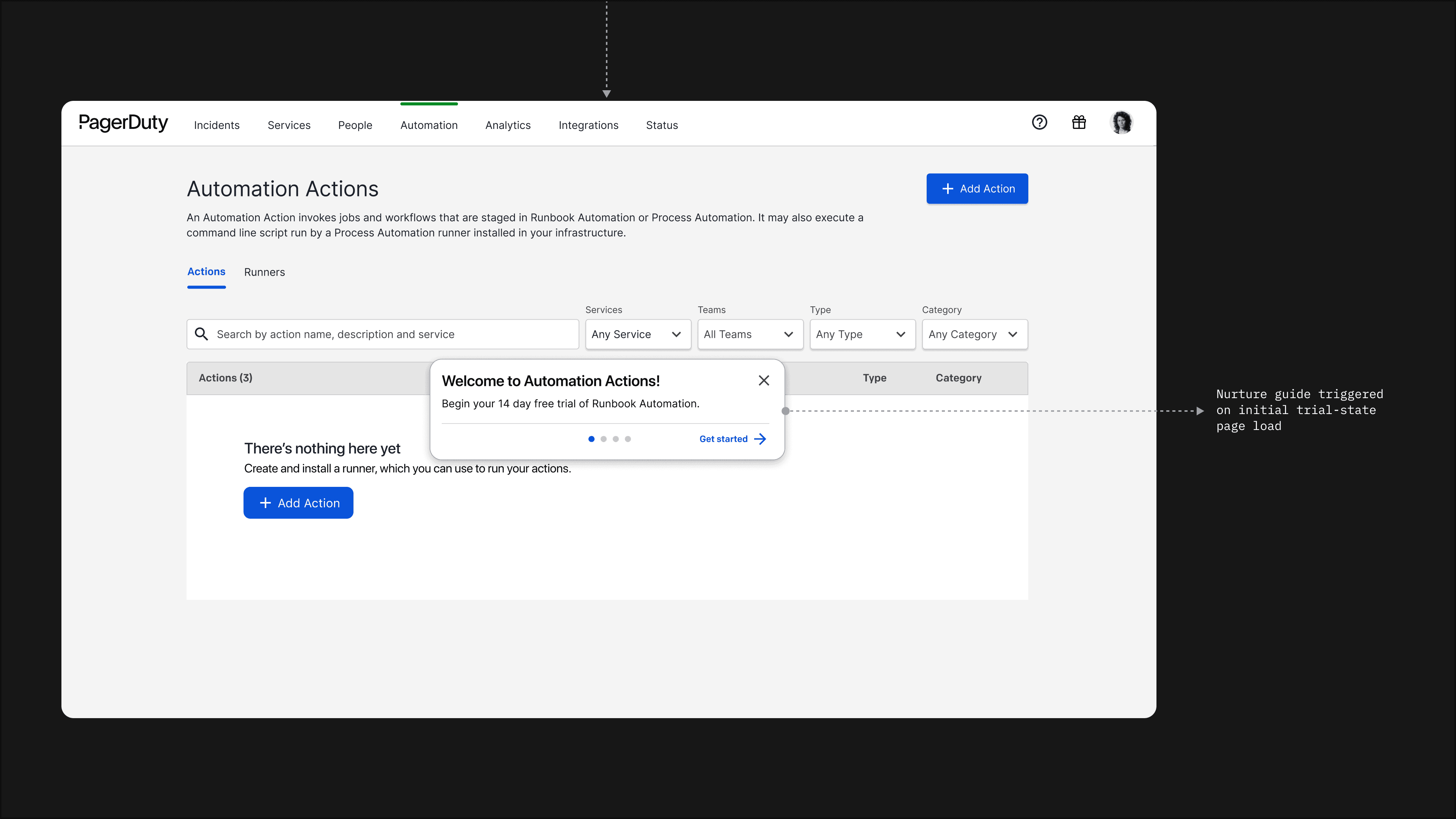
The first entry point to the trial is an interstitial landing page that explains the trial and routed the user based on their role.
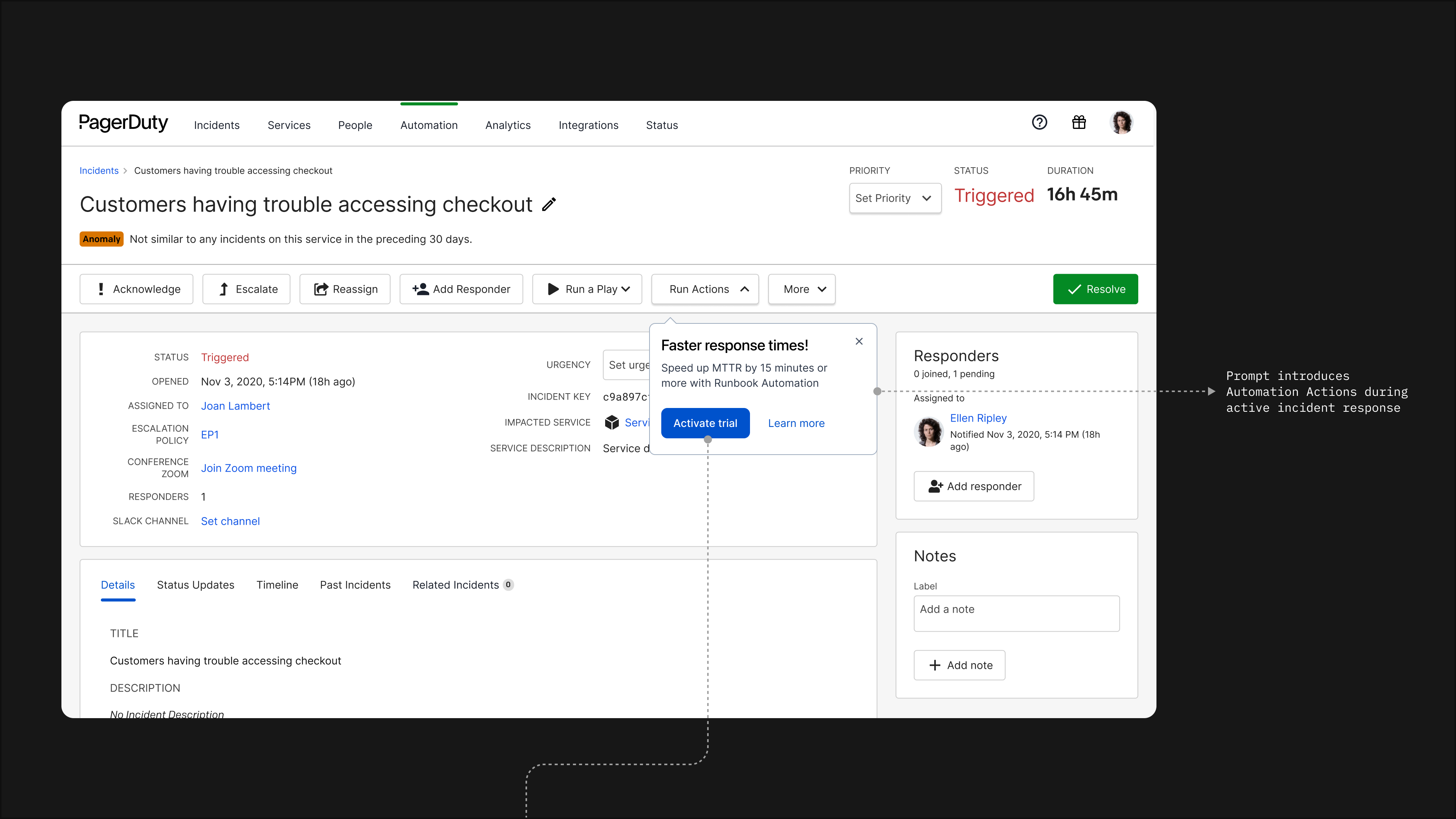
A trial modal is triggered when a user tries to run an automation during a live incident, the most engaged action within the feature.
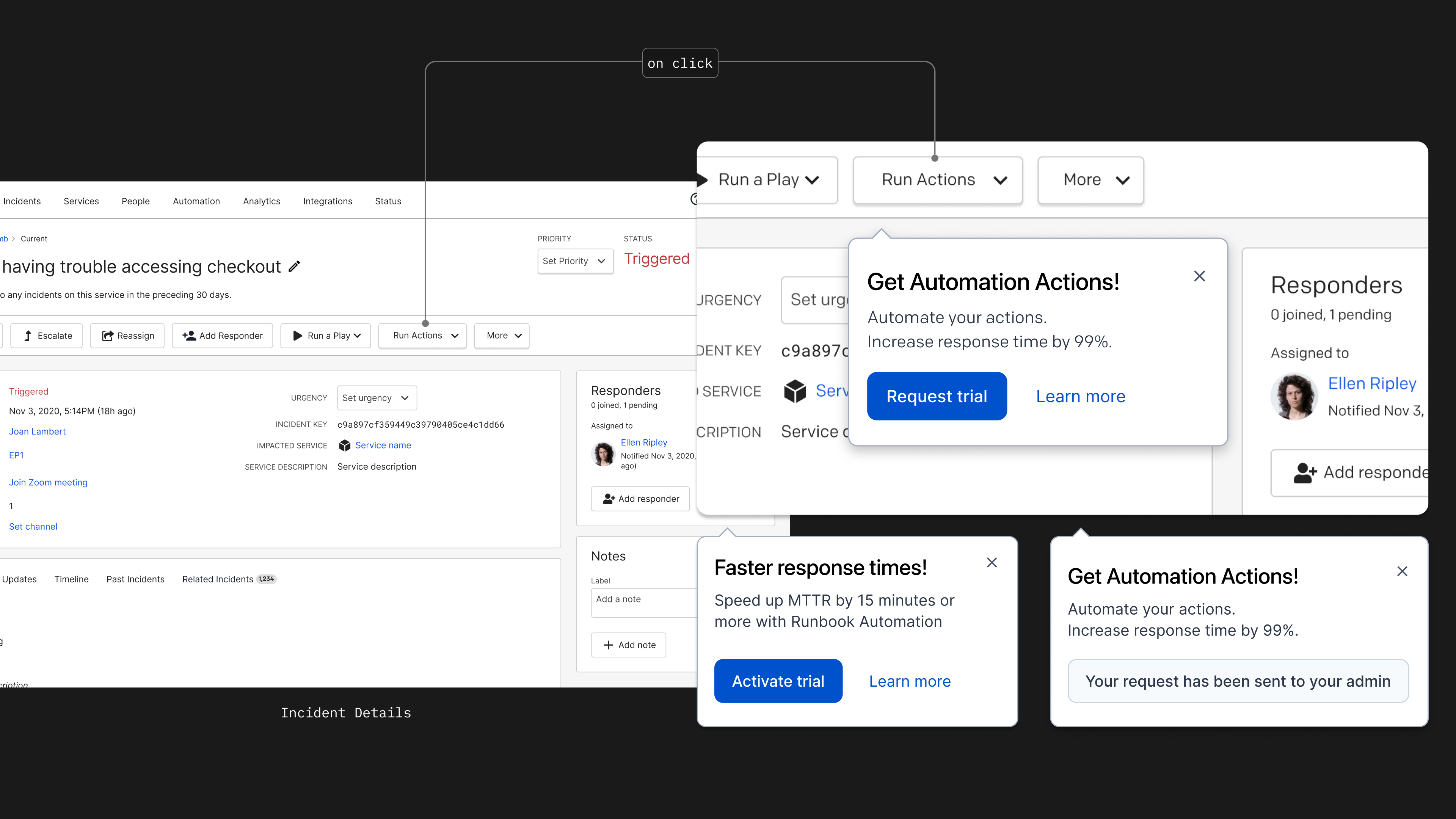
A response for every state: successful activation, pending request, ineligible account, duplicate submission.
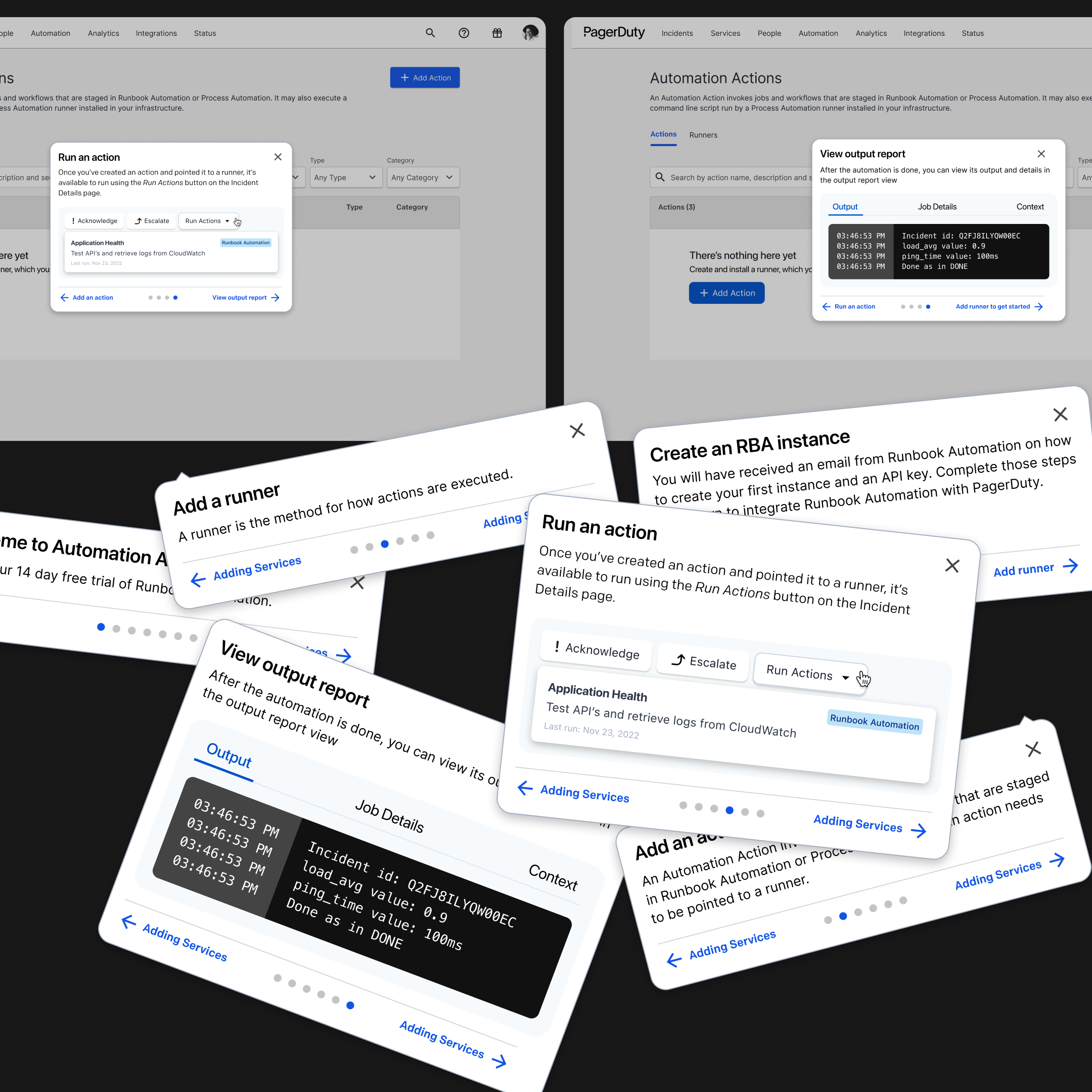
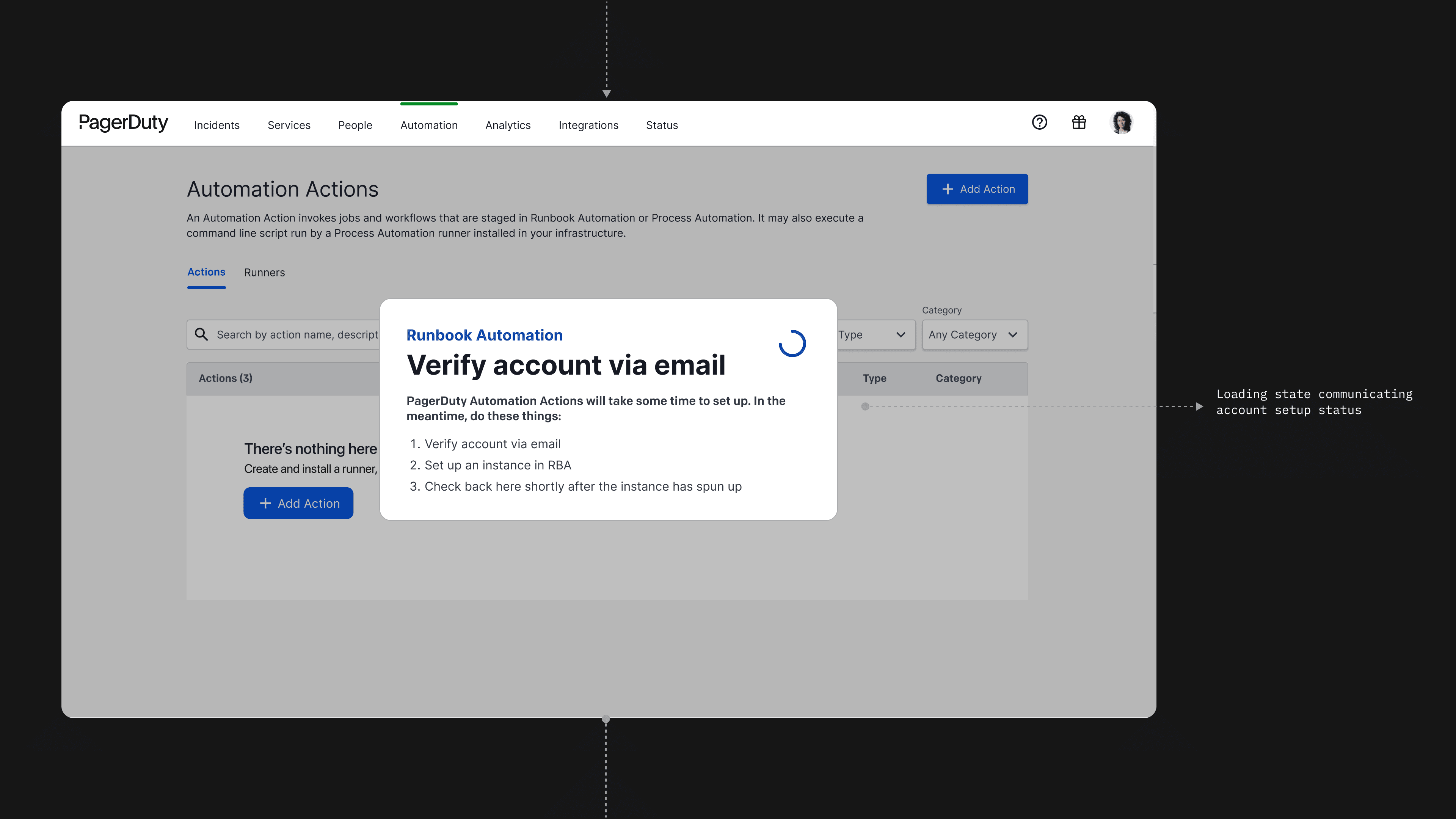
We bundled another feature, Runbook Automation, into the trial alongside Automation Actions, creating an onboarding wizard so users could hook up both features immediately.
Here’s a flow of an activator discovering the feature inside a live incident to beginning their trial.
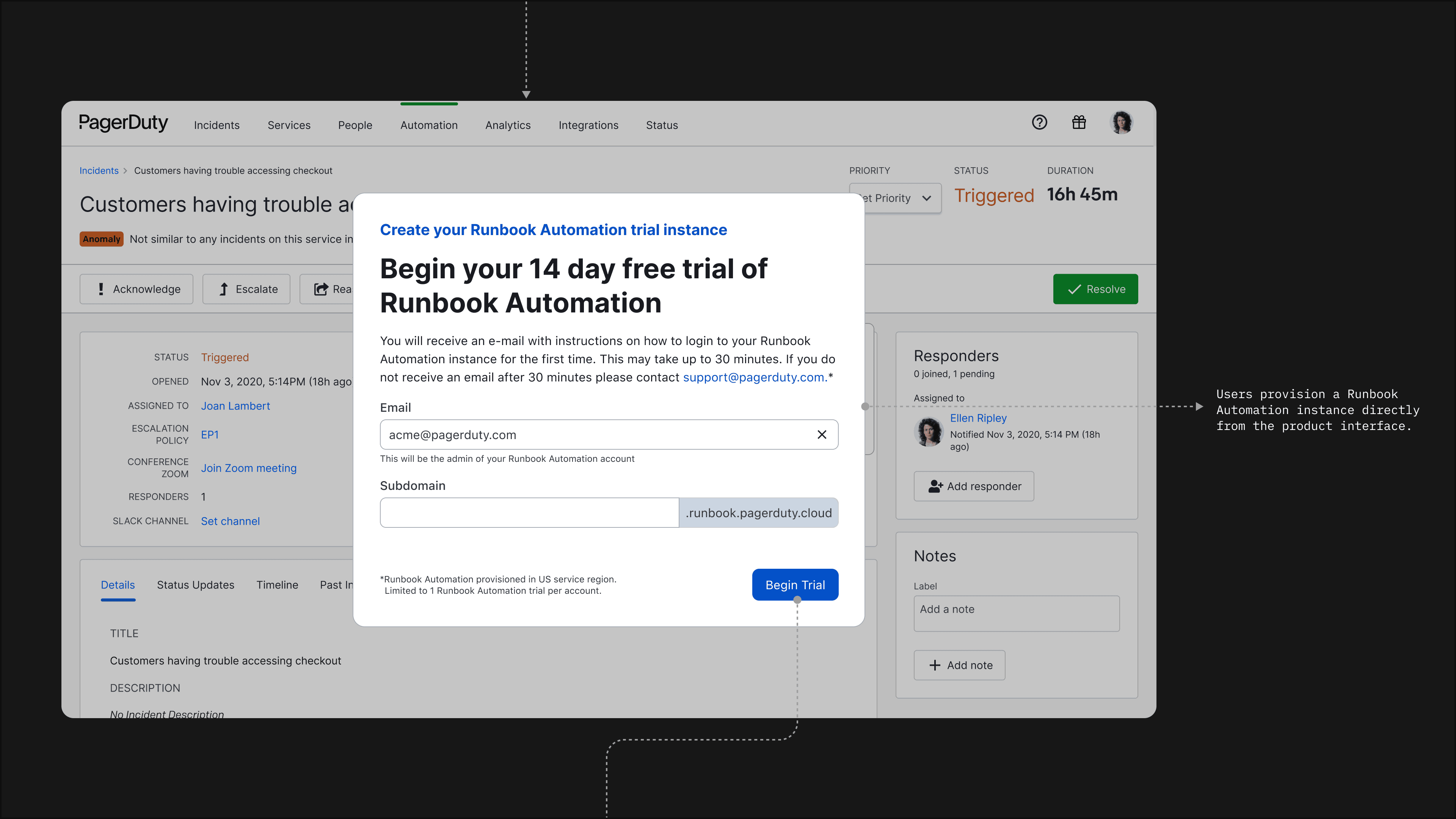
After we shipped, trial requests went from 6 to 50; 223 total requests, 50 activated trials, and 4 converted accounts after a single month.
”Simple wizard design made the feature easily understandable. I’ve had 0 questions from solution consultants on how it works. After a lot of requirements, work, and documentation, Omar took on an outsized role in creating the AA/RB trial integration. His preparation and materials presented made our two day design workshop go very smoothly and Omar was a go to for engineering after the project kicked off.”
Sean Noble · Principal Product Manager