Impact:11x increase in actions created with context variables (18 → 198 after one month) · Increased rate of Rundeck Action triggers
Role:Product Design, UX Research, Design Facilitation, Competitive Analysis
Collaborators:Sean Noble (Product Manager), Mat Trudel (Lead Engineer), Jon Grieman (Engineering Manager)
Why
Automation actions could only receive two pieces of context about the incident they were responding to and users had no way to discover or insert variables without looking elsewhere in the product.
How
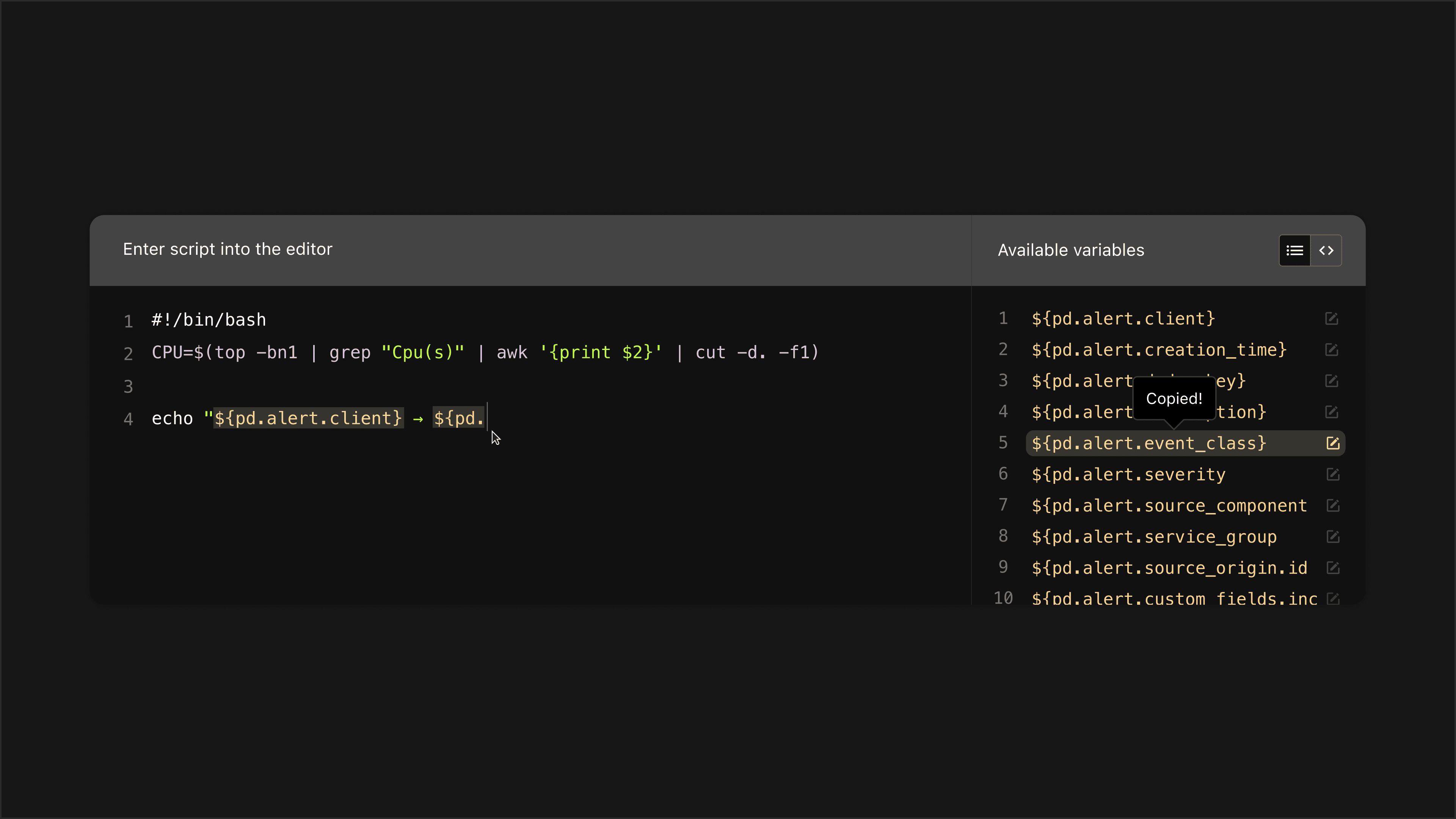
A variable picker built directly into the code editor enabling authors to browse, search, and insert incident data without leaving their workflow.
Impact
11x increase in actions created with context variables (18 → 198 after one month) · Increased rate of Rundeck Action triggers
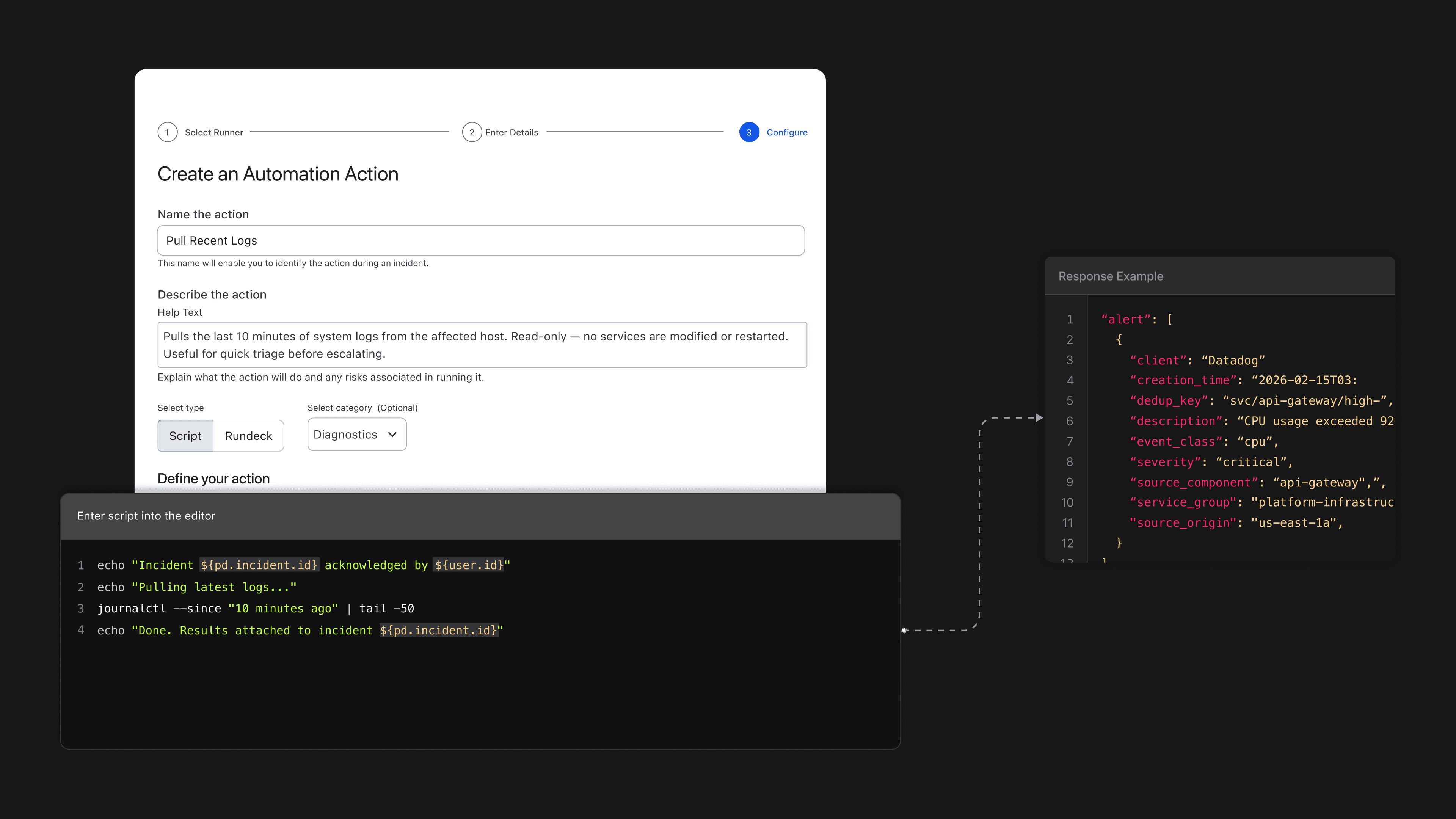
Automation jobs could run scripts, pull logs, restart services — but they only knew two things about the incident they were responding to: the incident id and the user id.
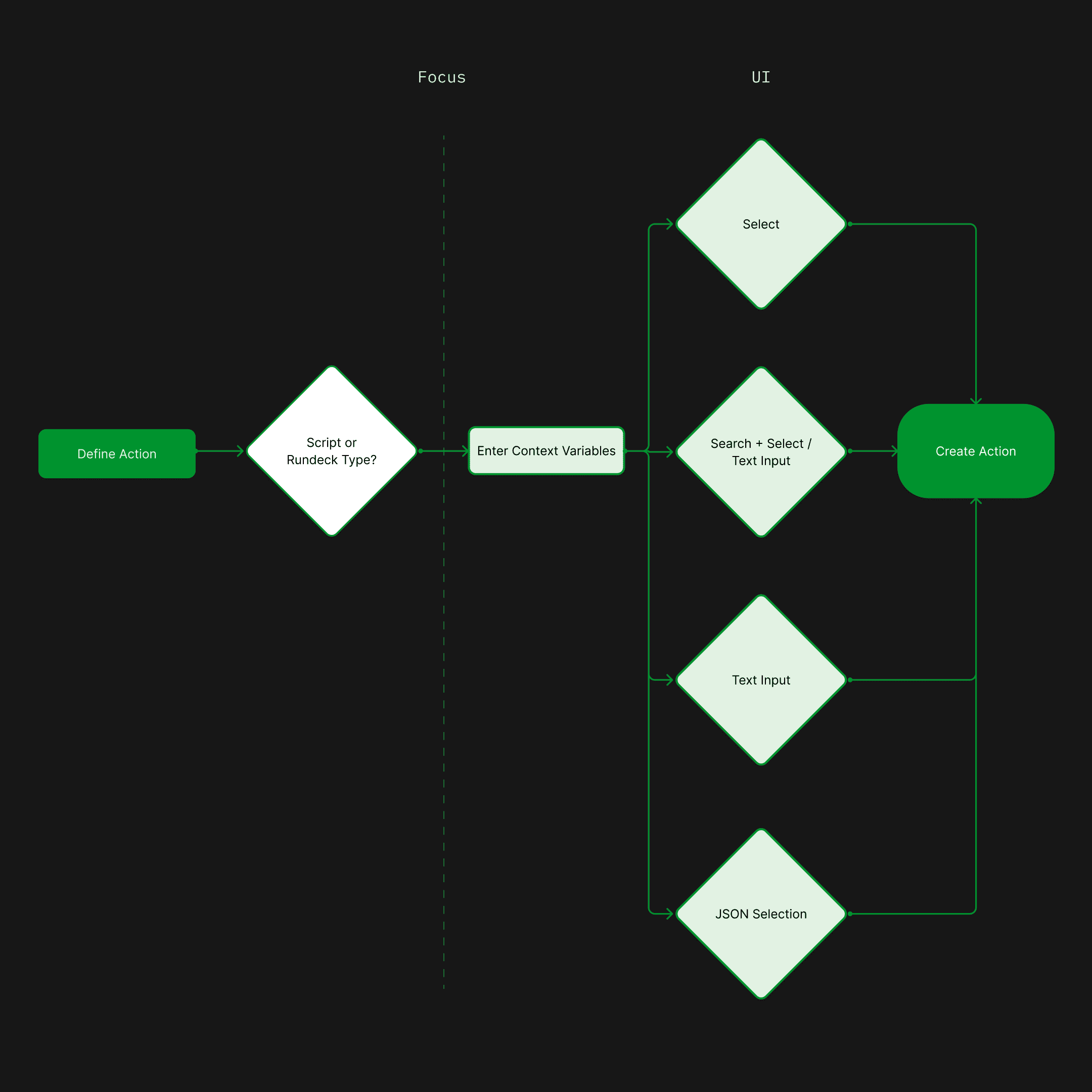
The design scope was focused on a single interaction after the script editor opens and before the action is saved.
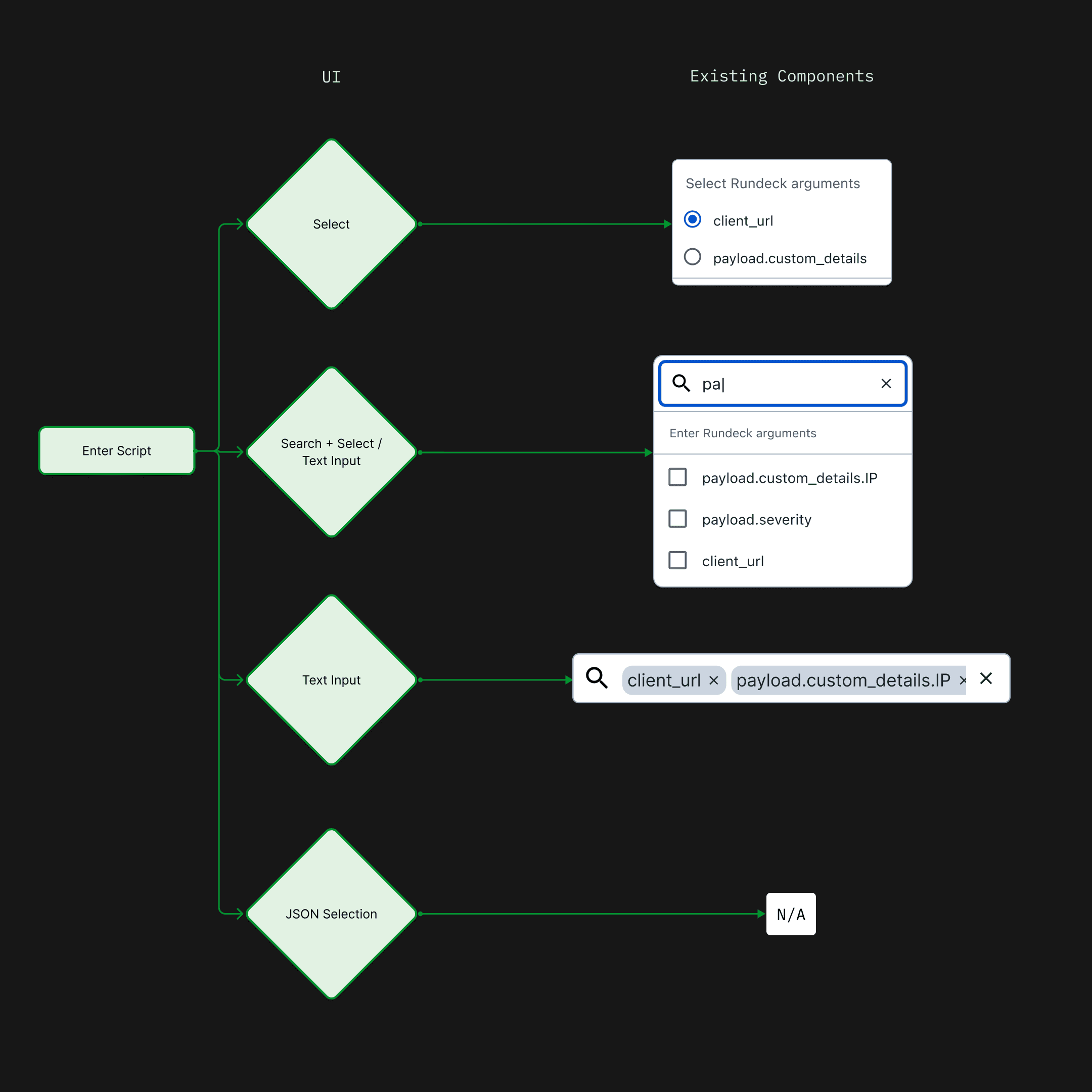
I mapped each approach to existing component patterns in an attempt to minimize engineering work, although existing patterns were unable to accomodate the user experience required.
I researched how developers handle variable insertion in code editors through autocomplete, inline suggestion, and token UI patterns.
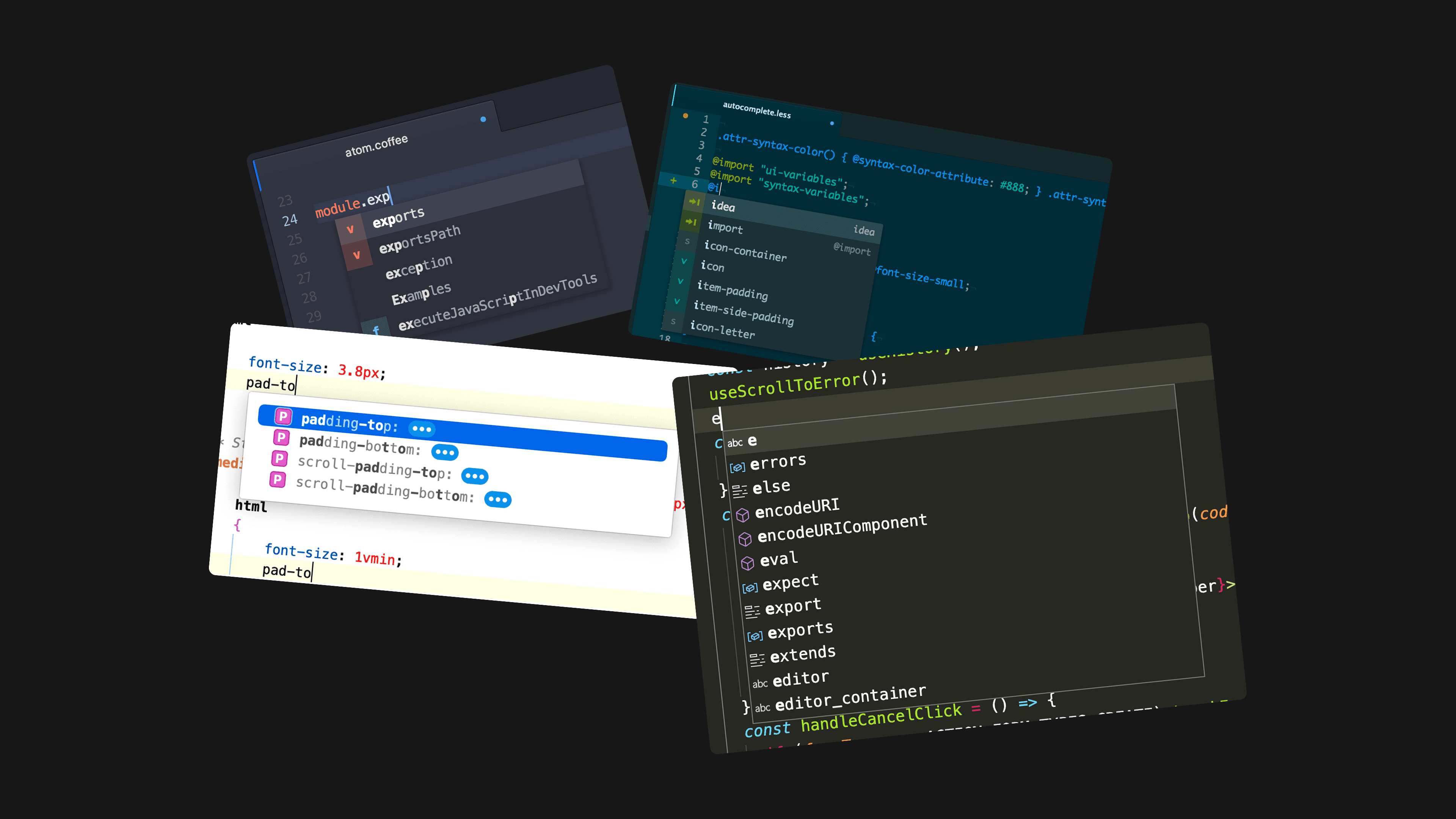
We explored how to render, type, and insert context variables through list layouts, inline autocomplete, and JSON picker style components.
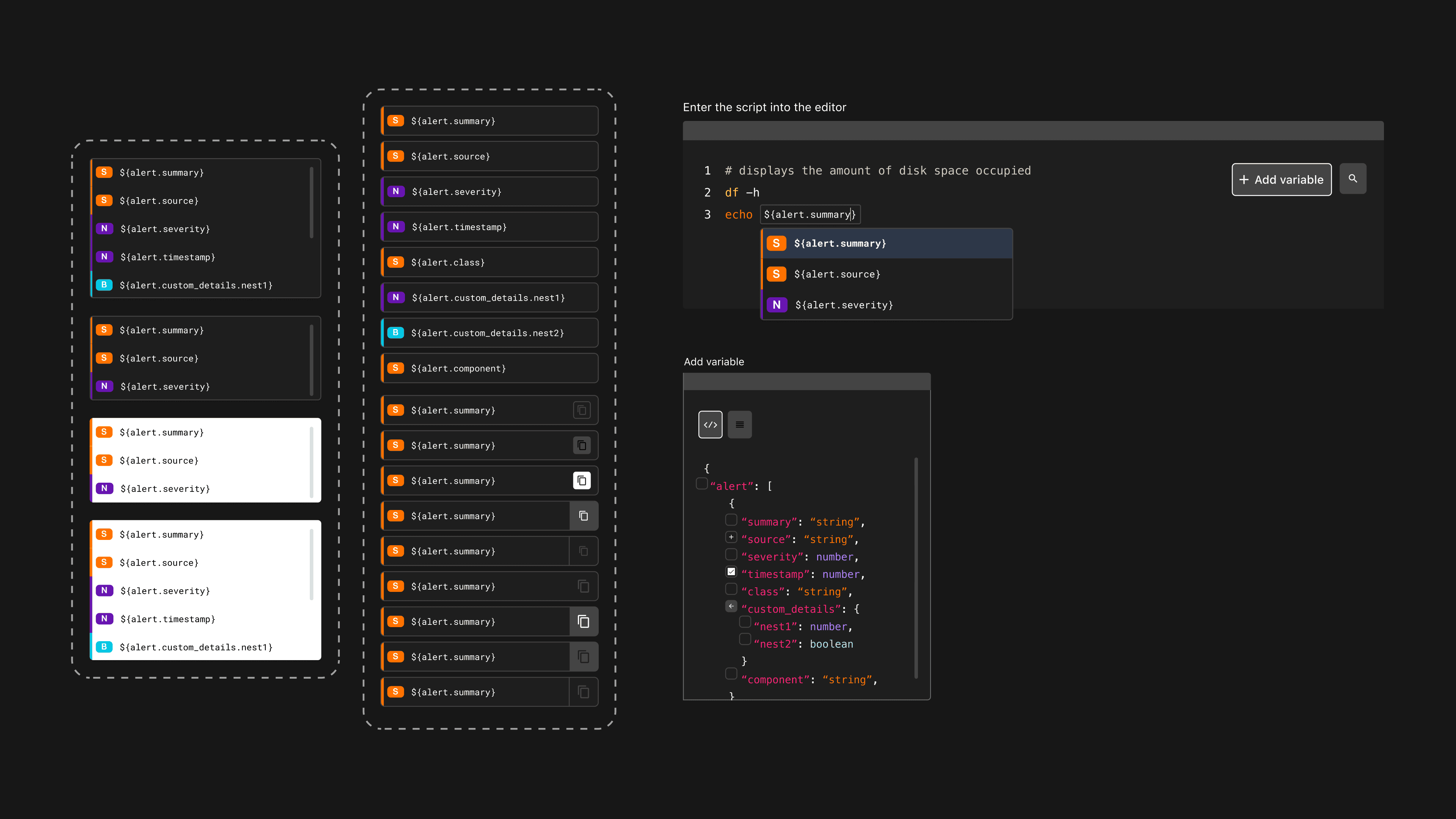
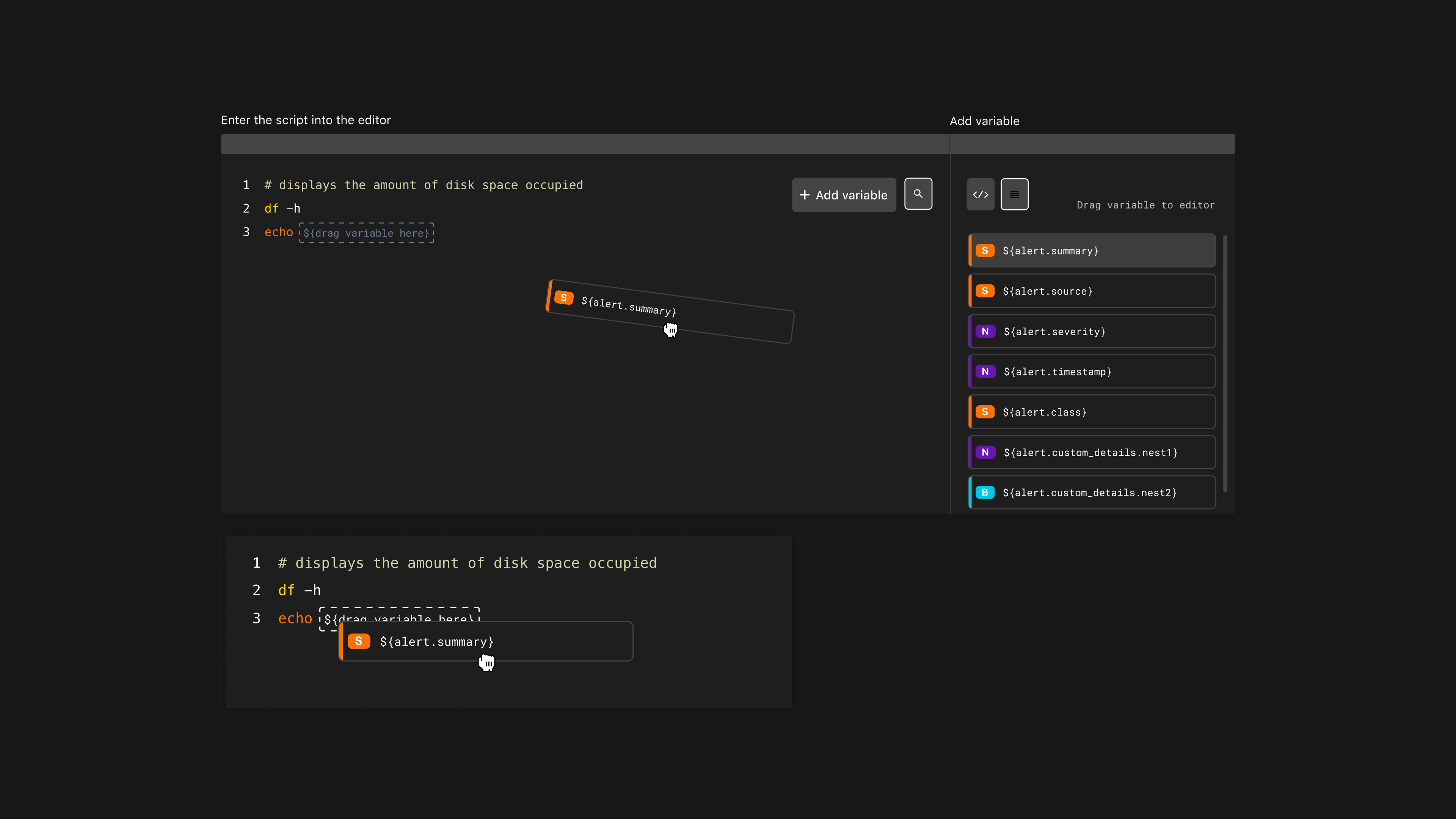
I prototyped insertion methods to discover which felt most natural for engineers already inside a script editor, however these interactions felt too clunky and required over-engineering the scope.
The prototypes did point towards the same answer: keep users in the editor, and make variables discoverable within the editor UI.
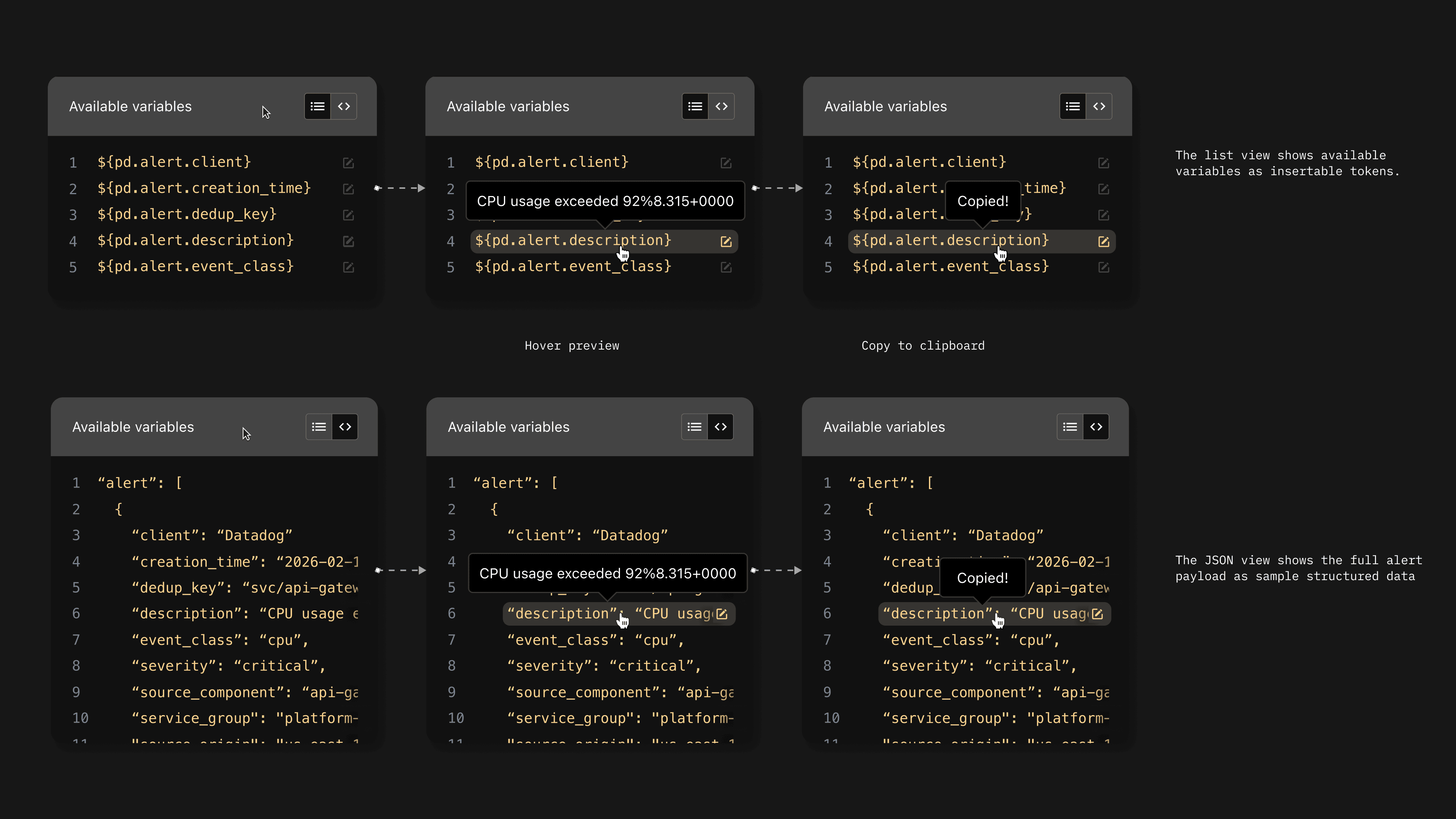
Working with the engineering team and through user testing, a split-panel design began to feel right: the script editor on the left, a browsable variable list on the right with a toggle between list and raw JSON views.
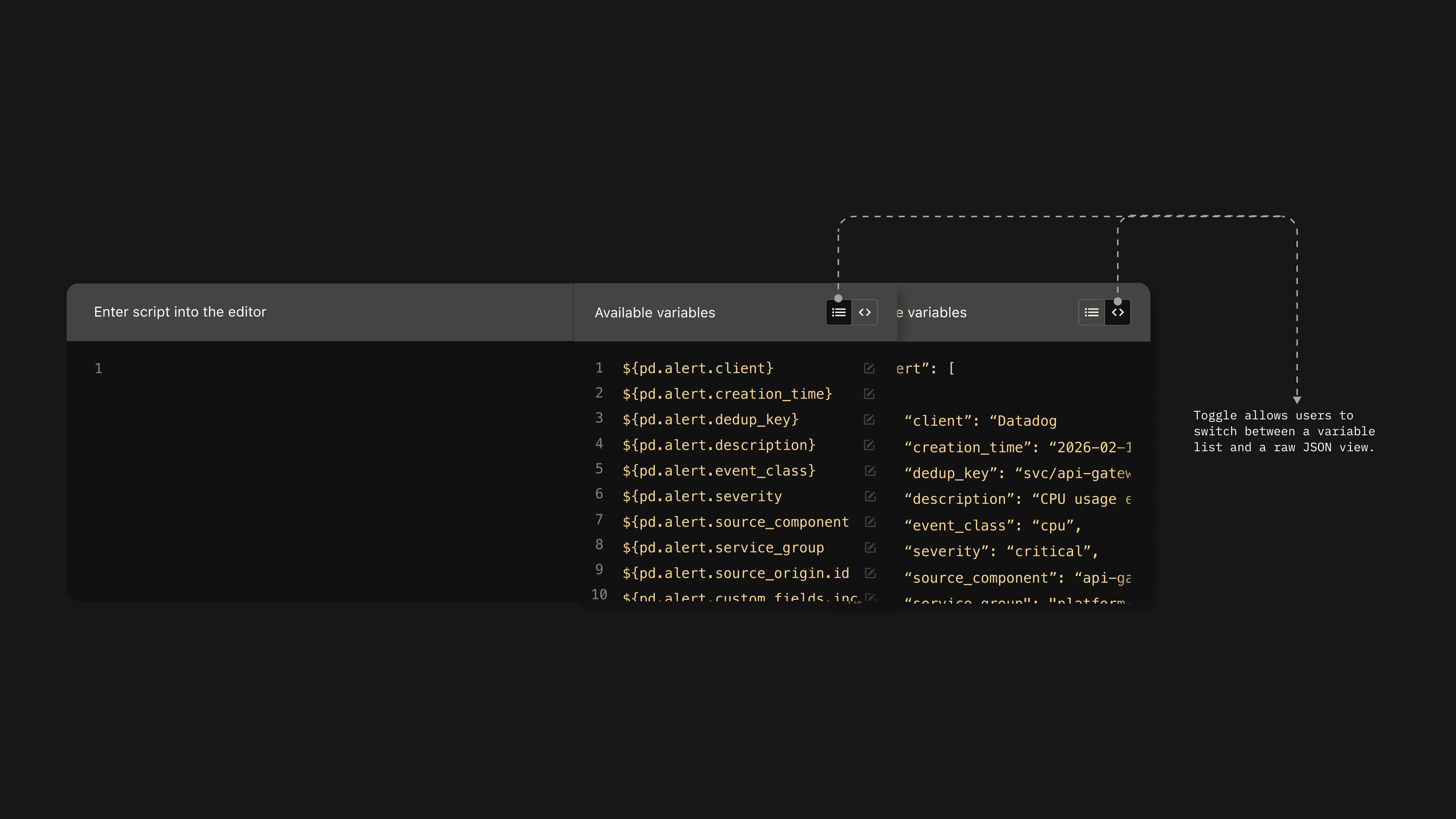
The variable list supports hover preview and one-click copy while the JSON view exposes the full alert payload as structured sample data.
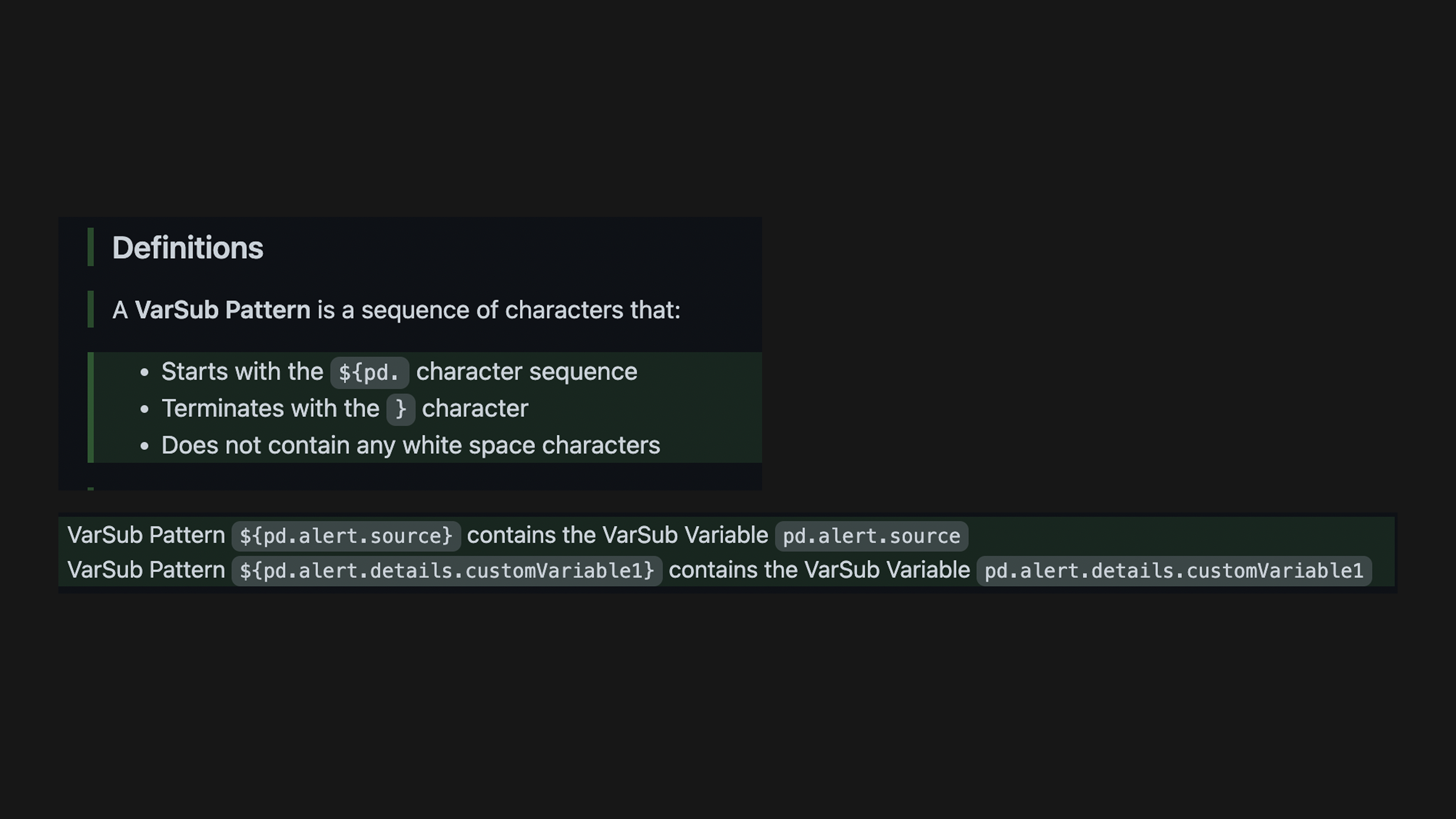
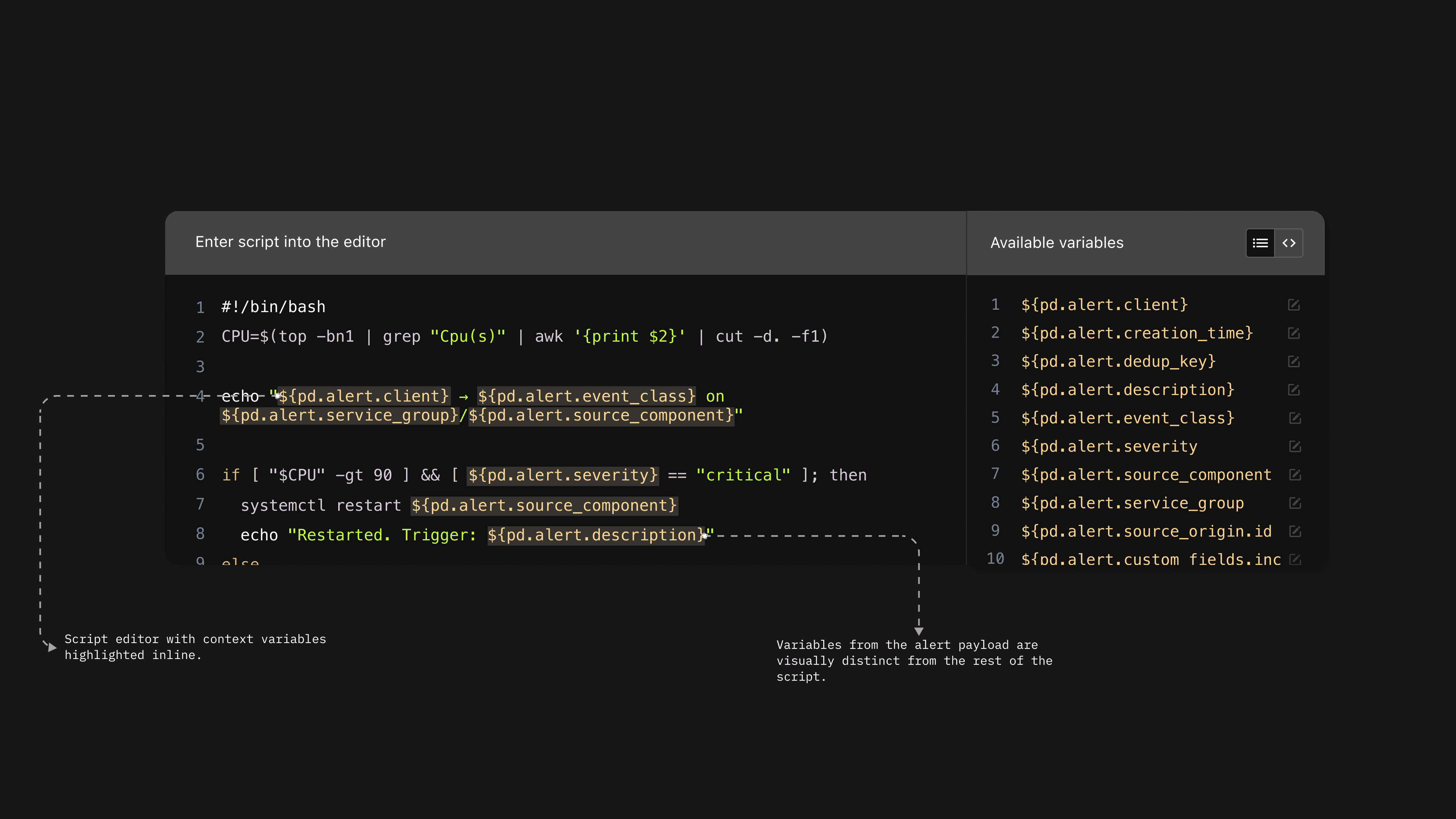
Variables inserted into the script are highlighted inline and are visually distinct from surrounding code so users always know what’s runtime data.
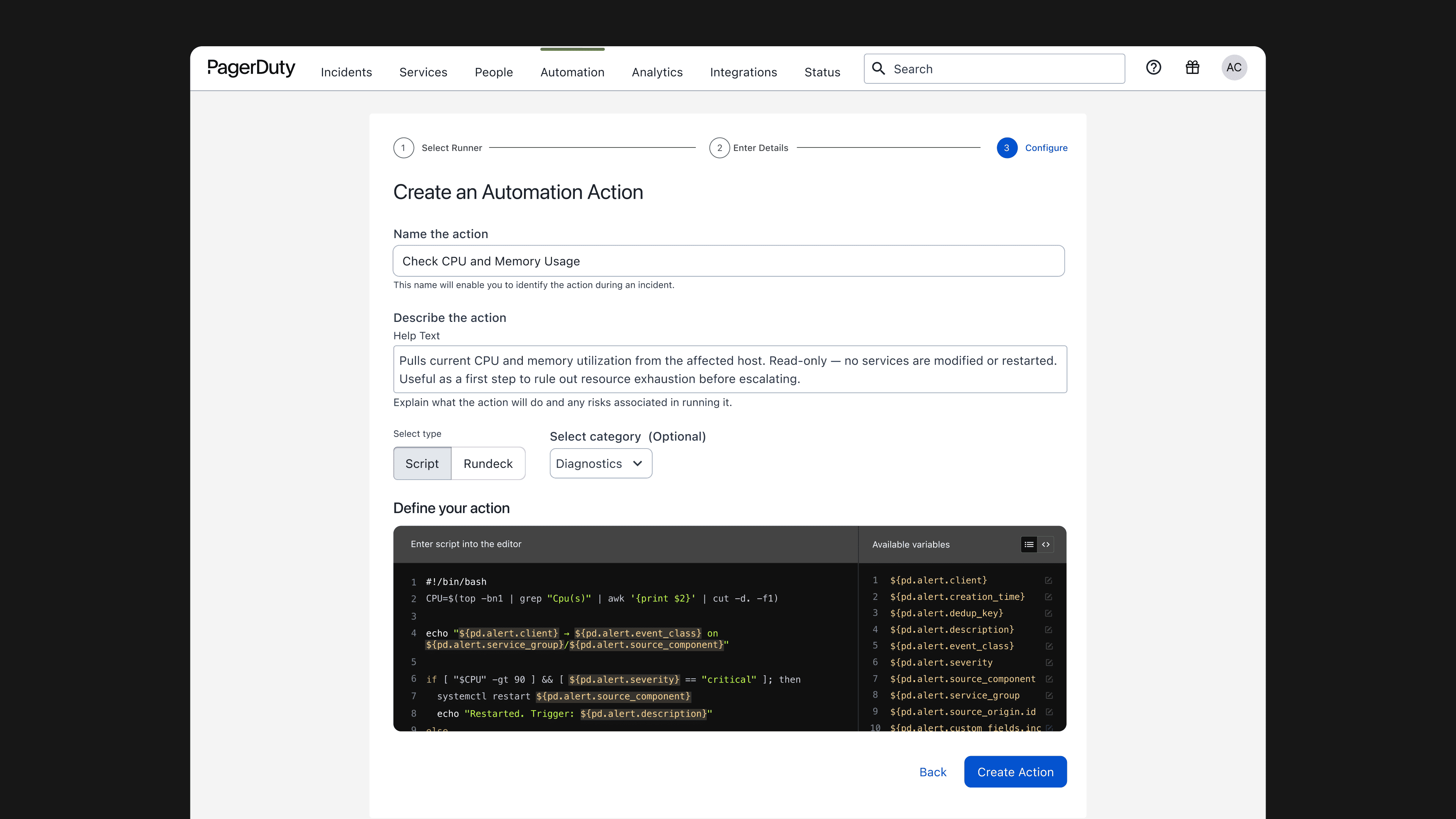
The final design embedded directly into PagerDuty’s existing action creation flow — no new pages, no context switching.
Automated actions expanded from surfacing only two incident related values to receiving the full alert payload.
”Of all the projects this year, Omar’s work on the context variables project really stands out. There was a lot of subtle design touches to that project that really elevated it, and Omar did a great job of presenting the changes and advocating for them in a way that motivated the rest of the team to step up.”
Mat Trudel · Software Engineer IV