Impact:11x increase in actions created with context variables (18 → 198 after one month) · Increased rate of Rundeck Action triggers
Role:Product Design, UX Research, Design Facilitation, Competitive Analysis
Collaborators:PagerDuty Cloud Automation Team
Why
Automation jobs in PagerDuty could only receive two pieces of context about the incident they were responding to — no severity, no service name, no alert payload — and users had no way to discover or insert variables without memorizing the syntax.
How
A variable picker built directly into the code editor — letting users browse, search, and insert any field from the triggering alert without leaving their workflow.
Impact
11x increase in actions created with context variables (18 → 198 after one month) · Increased rate of Rundeck Action triggers
Automation jobs could run scripts, pull logs, restart services — but they only knew two things about the incident they were responding to.
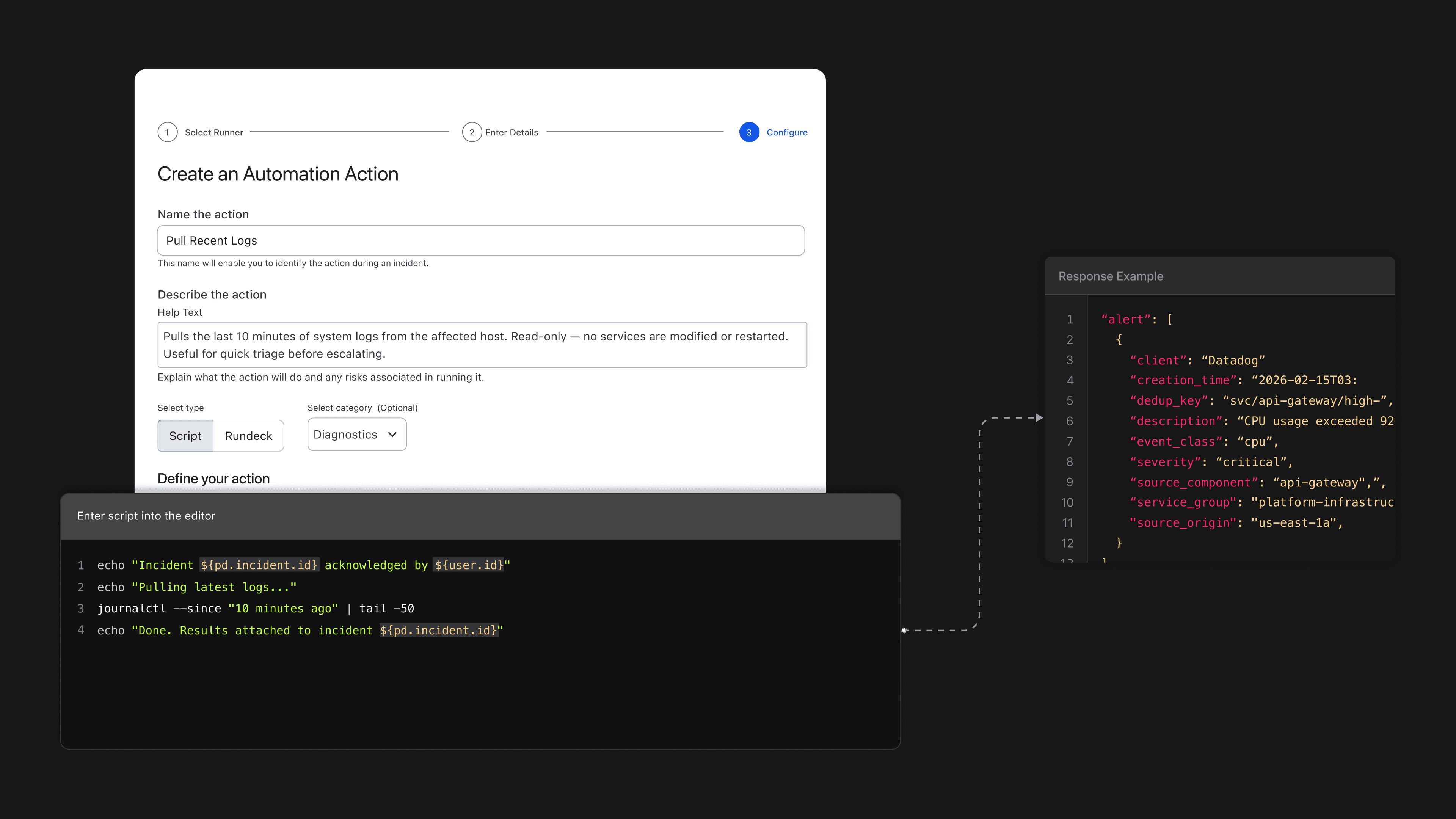
Automation Actions let engineers trigger Rundeck jobs directly from an active incident. The jobs could do powerful things — check CPU usage, query databases, retrieve CloudWatch data — but they could only receive two pieces of context: {incident.id} and {user.id}. No severity, no service name, no alert payload. An automation meant to diagnose what went wrong had almost no information about what actually happened.
I was designing for on-call engineers, SREs, and platform teams writing shell scripts and configuring job parameters. That meant respecting their mental models around syntax, arguments, and runtime behavior — while still making the experience discoverable enough that someone new could figure it out without reading documentation first.
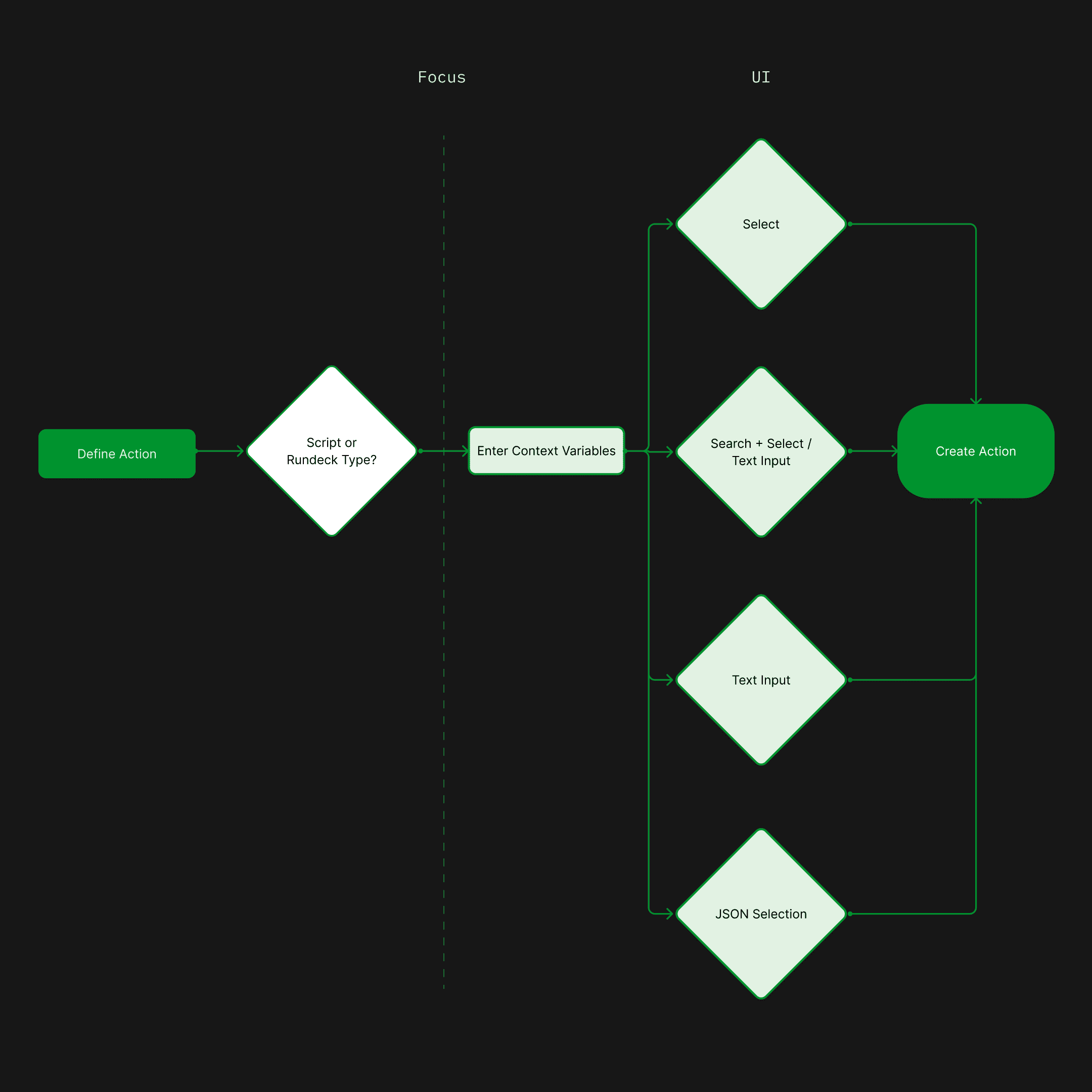
I mapped the design scope to a single decision node — after the script editor opens and before the action is saved.
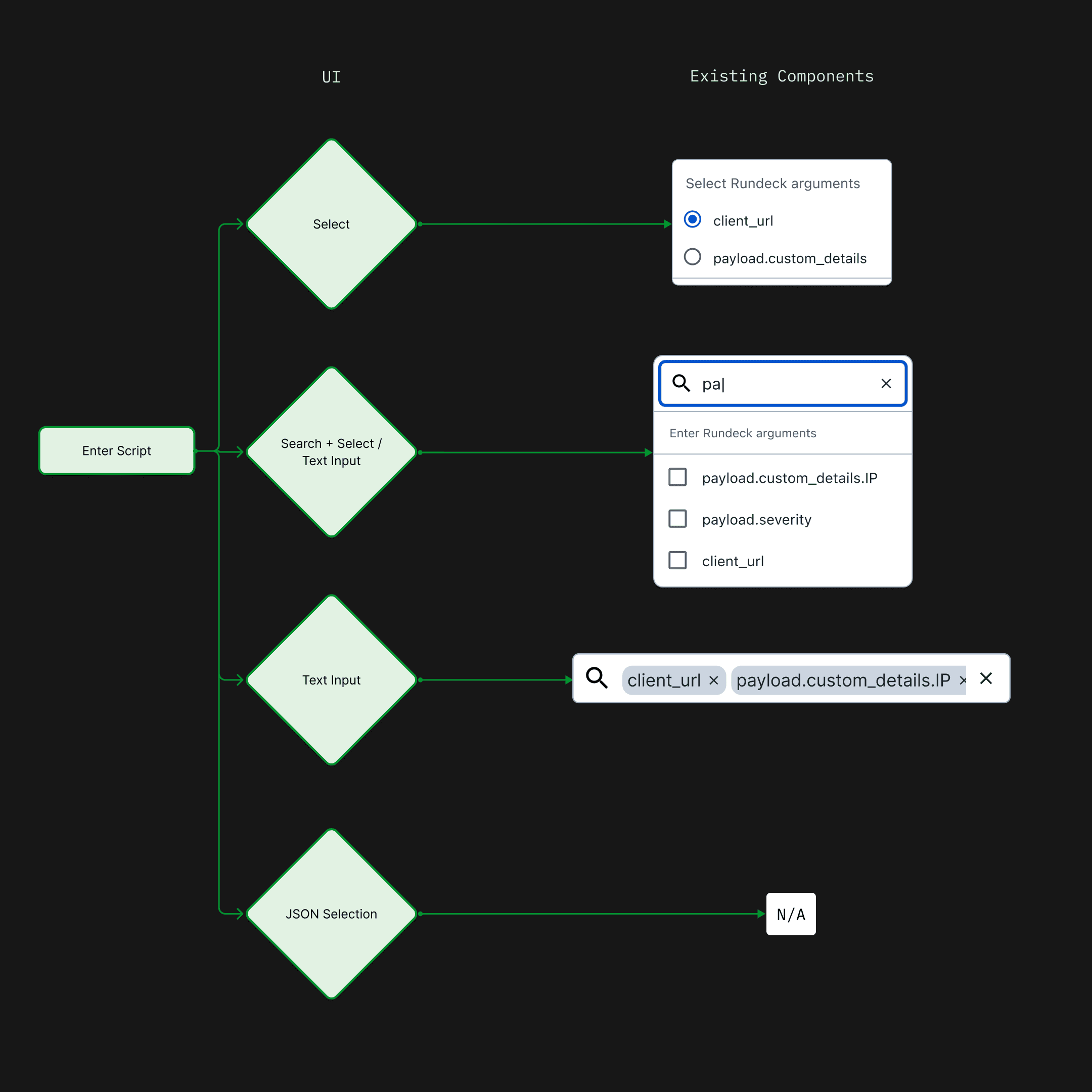
I mapped each approach to existing component patterns to minimize net-new engineering work.
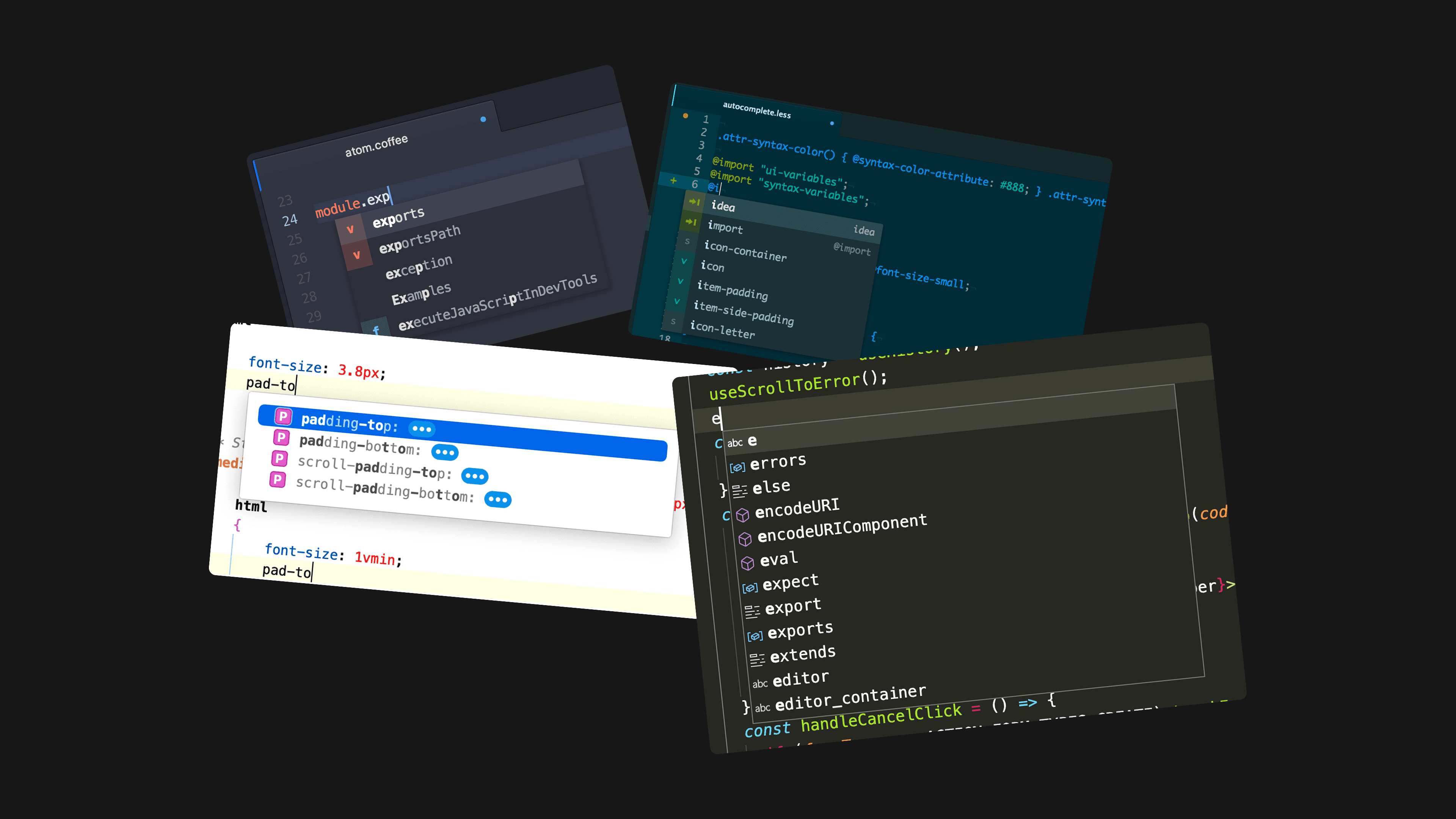
I researched how developers handle variable insertion in code editors — autocomplete, inline suggestion, and token UI patterns.
I explored how to display, type-code, and insert variables — list layouts, inline autocomplete, and a JSON tree picker.
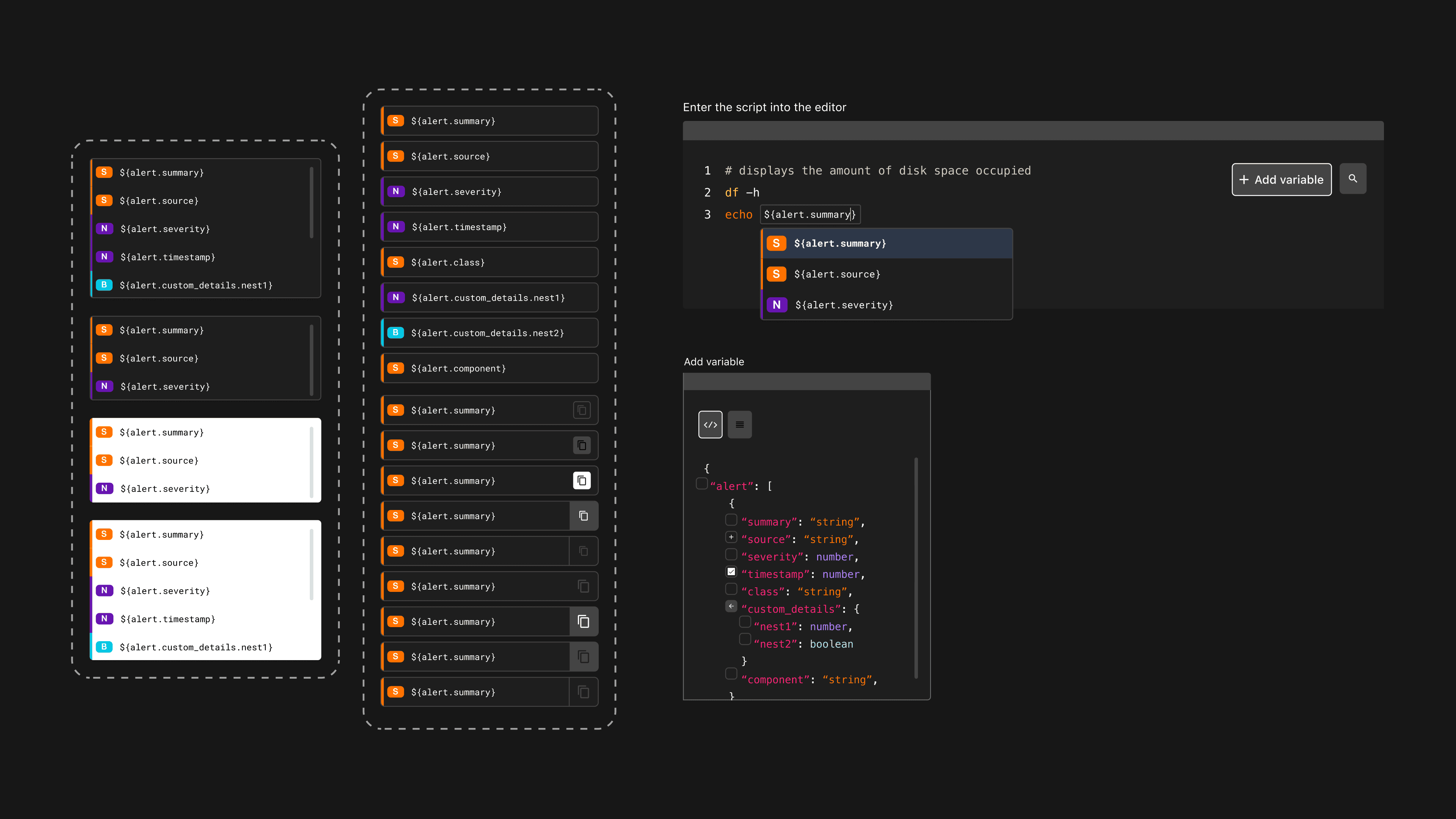
I prototyped two insertion methods to find which felt most natural for engineers already inside a script editor.
The prototypes pointed toward the same answer: keep users in the editor, and make variable discovery a sidebar — not a separate step.
A split-panel design: the script editor on the left, a browsable variable list on the right — with a toggle between list and raw JSON views.
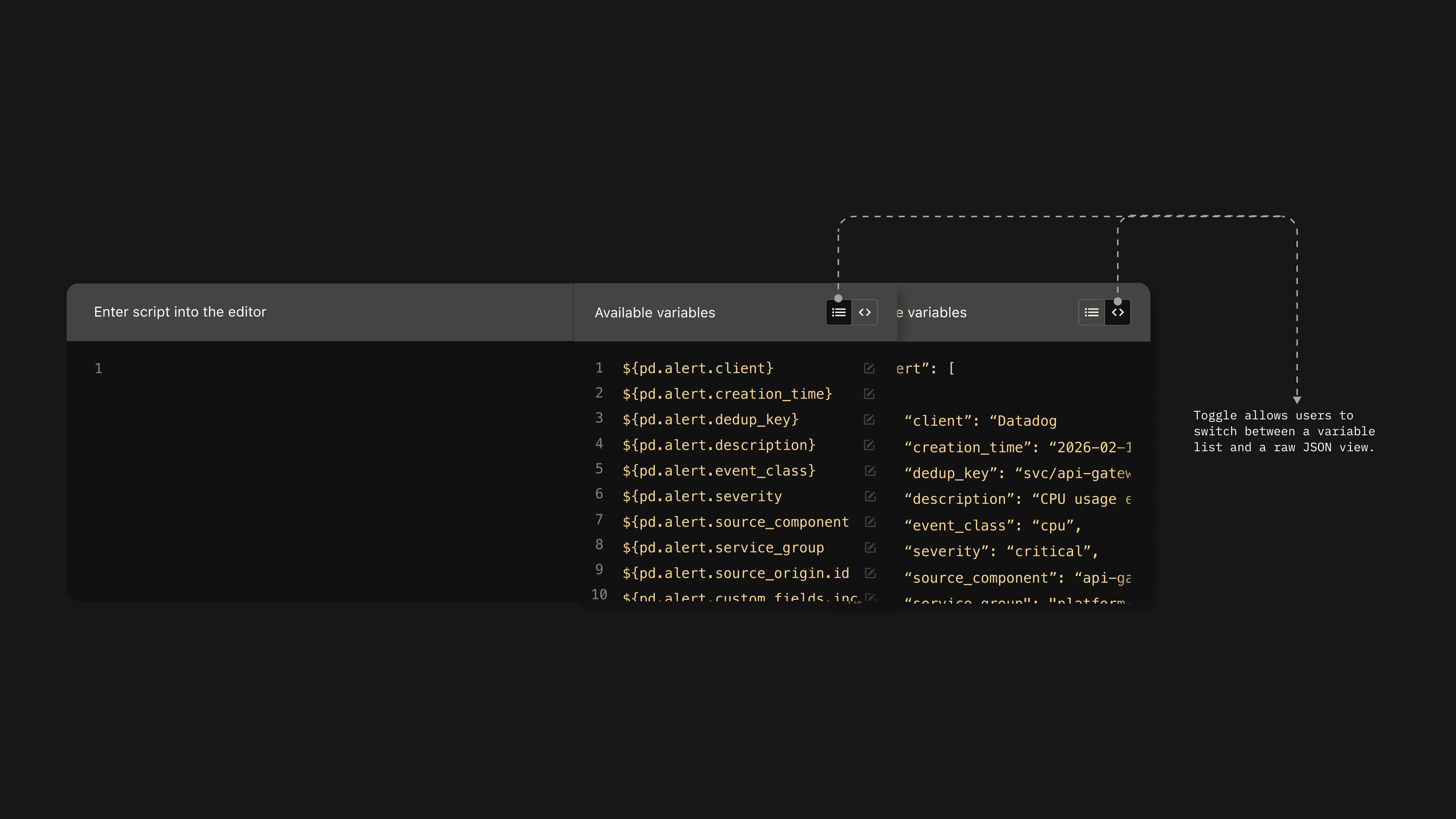
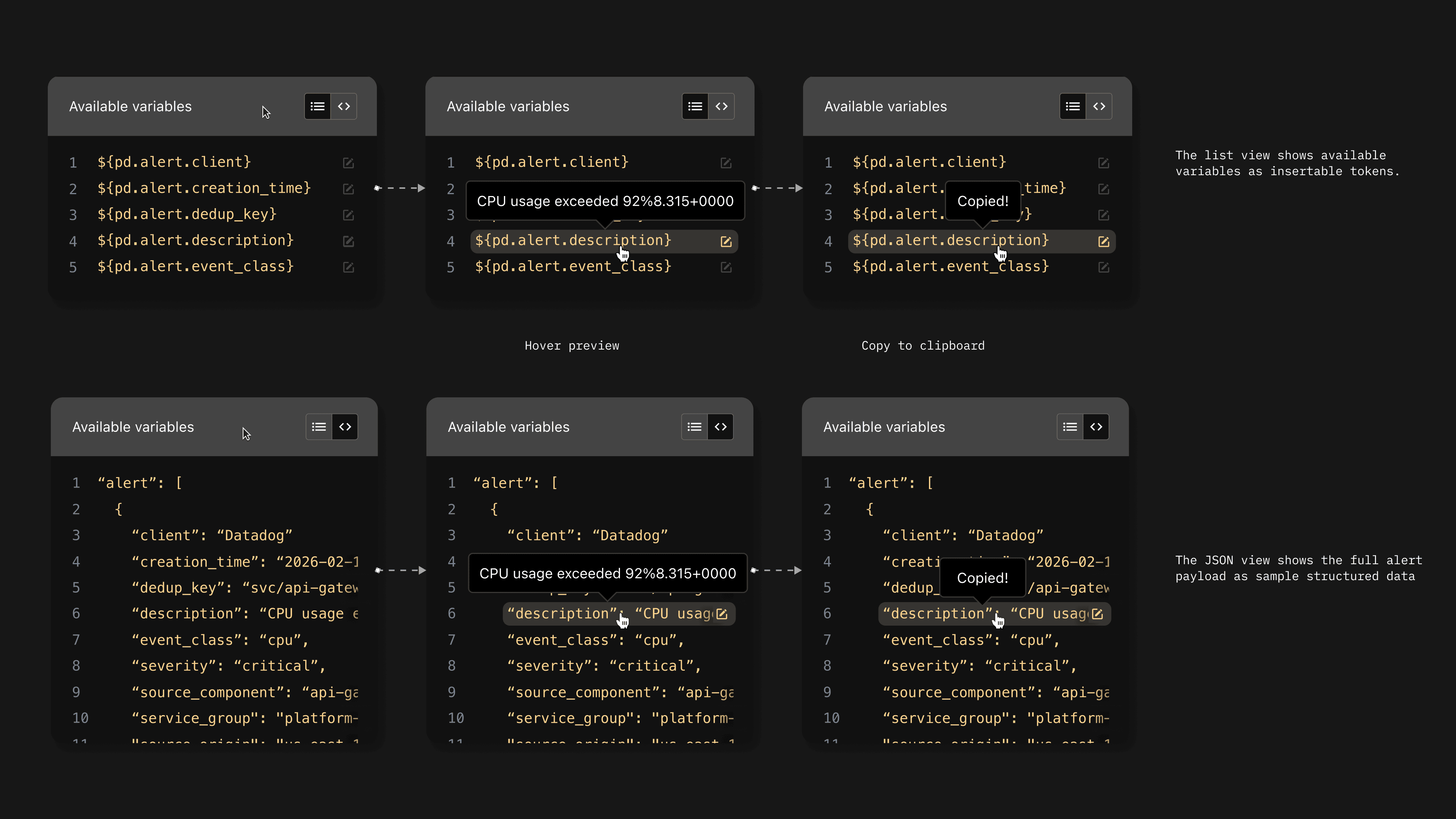
The variable list supports hover preview and one-click copy — the JSON view exposes the full alert payload as structured sample data.
Variables inserted into the script are highlighted inline — visually distinct from surrounding code so users always know what’s runtime data.
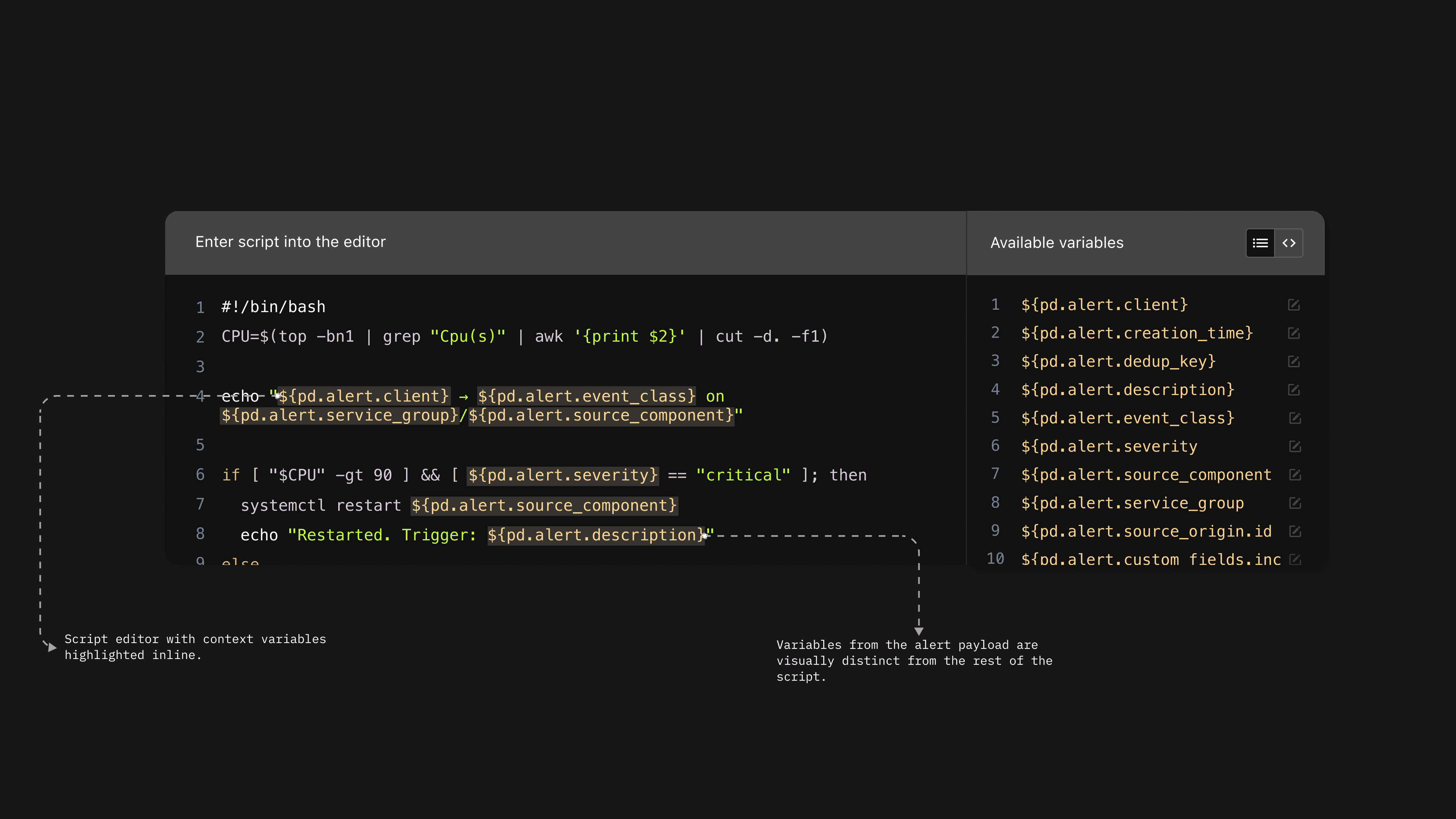
The final design embedded directly into PagerDuty’s existing action creation flow — no new pages, no context switching.
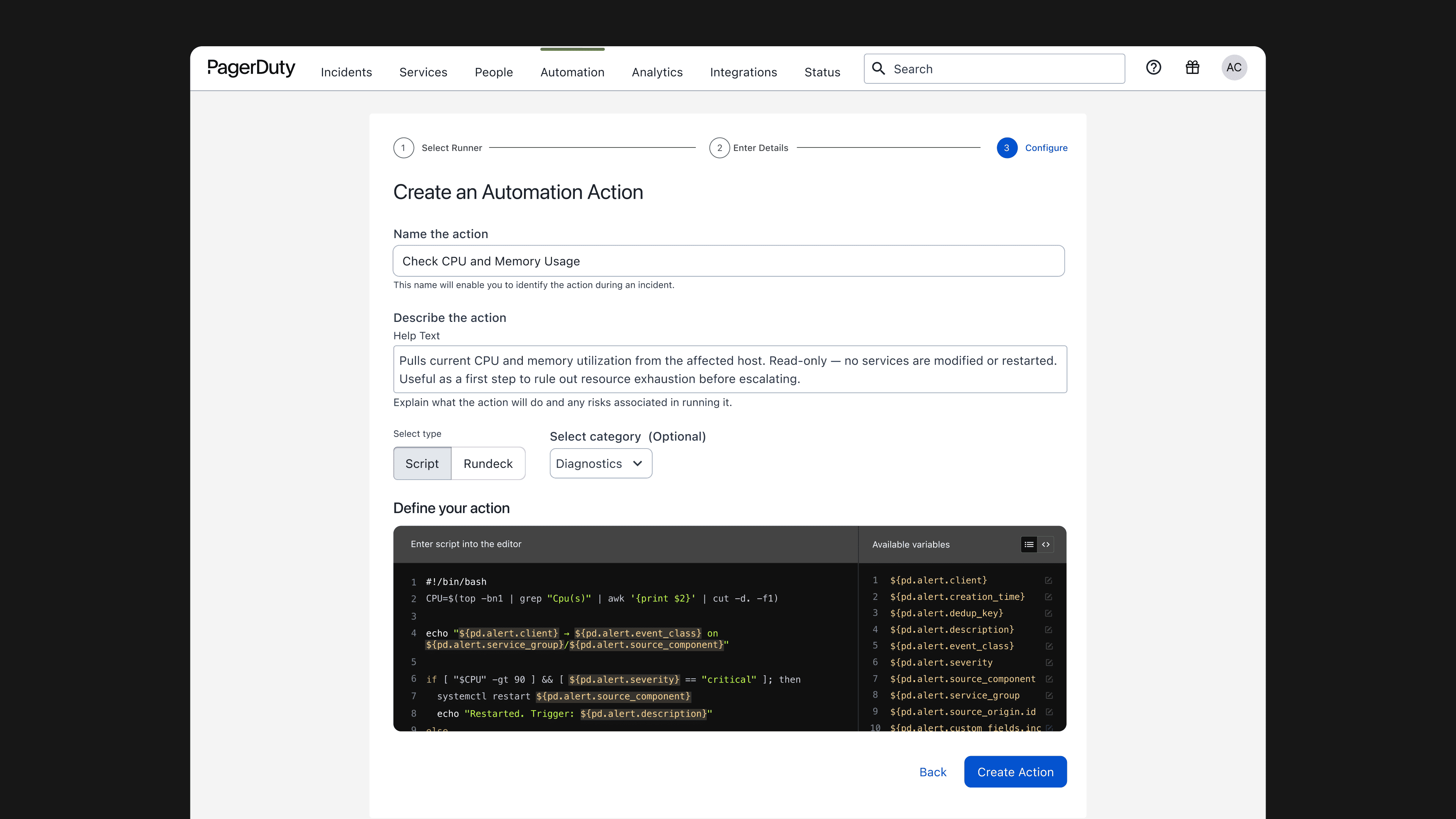
The system expanded from two hardcoded values to the full alert payload — and actions created with context variables jumped from 18 to 198 in the first month.
Users could now search, read inline descriptions, and insert variables without memorizing syntax. A blind workflow became a guided one.