Rundeck GenAI Job Creator
Impact:First GenAI project shipped in Rundeck · Lowered job creation barrier for non-expert users
Role:Product Design, Design Exploration
Collaborators:Jake Cohen (Product Manager), Greg Schueler (Lead Engineer), Will Su (Product Designer), Jenny Williams (Director of Product Design)
Why
Building automated jobs in Rundeck required deep platform knowledge so general users rarely created jobs due to the complexity and prerequisite knowledge required.
How
A GenAI-powered job creator that lets users type a prompt and generate a ready-to-go, editable workflow automatically.
Impact
First GenAI project shipped in Rundeck · Lowered job creation barrier for non-expert users
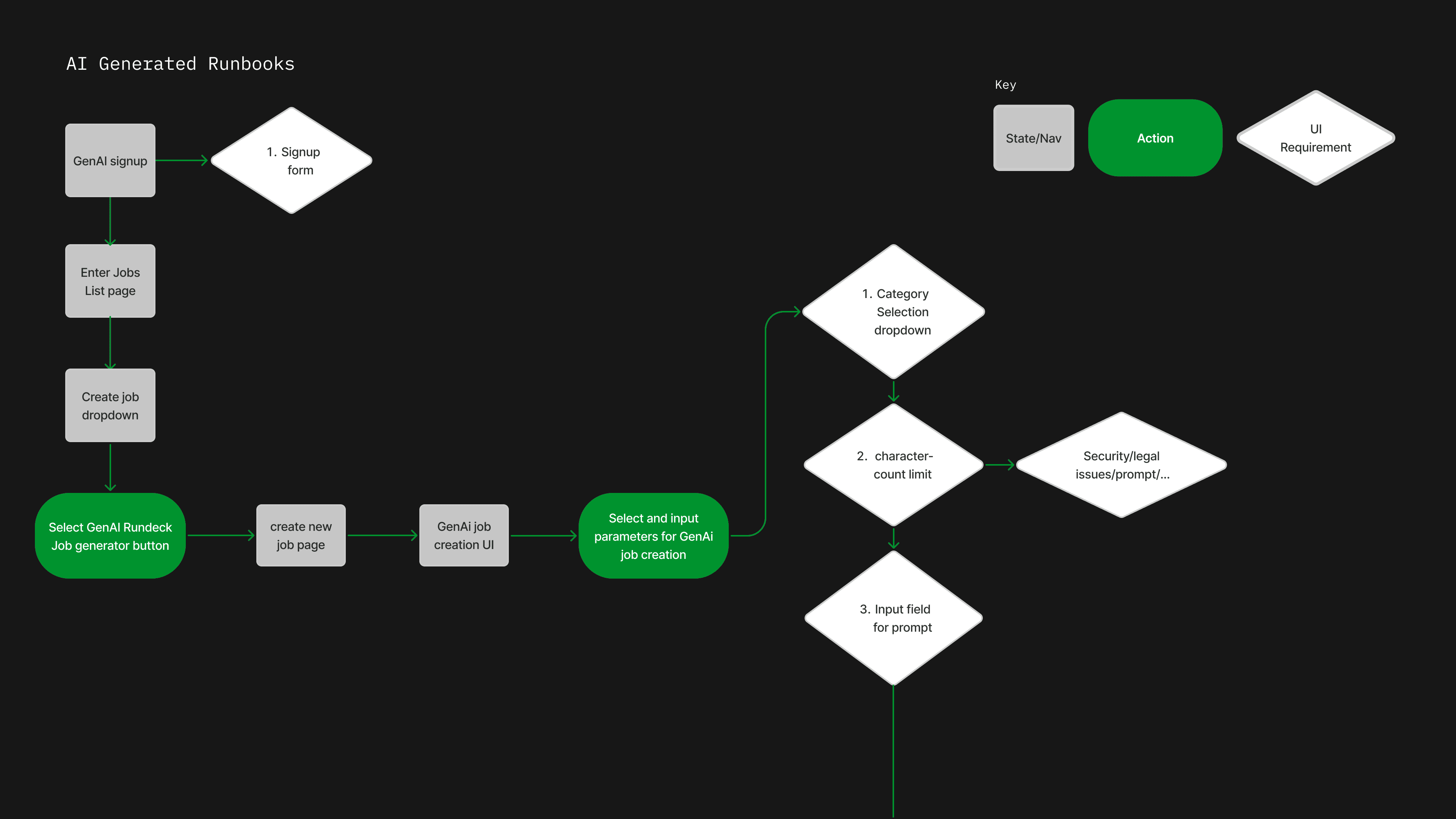
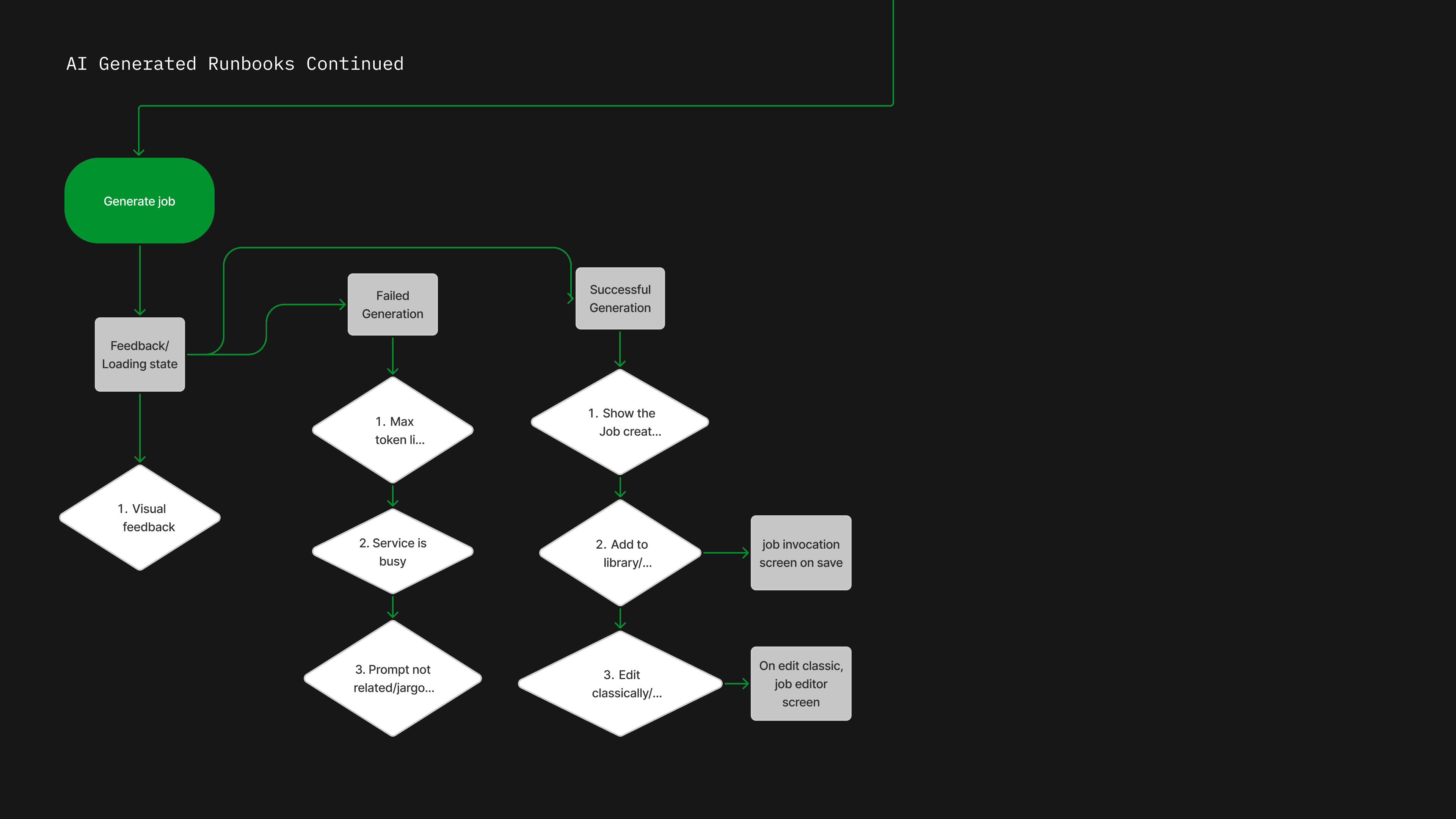
The full user flow denotes the journey from signup through GenAI parameter selection based on user actions and required UI.
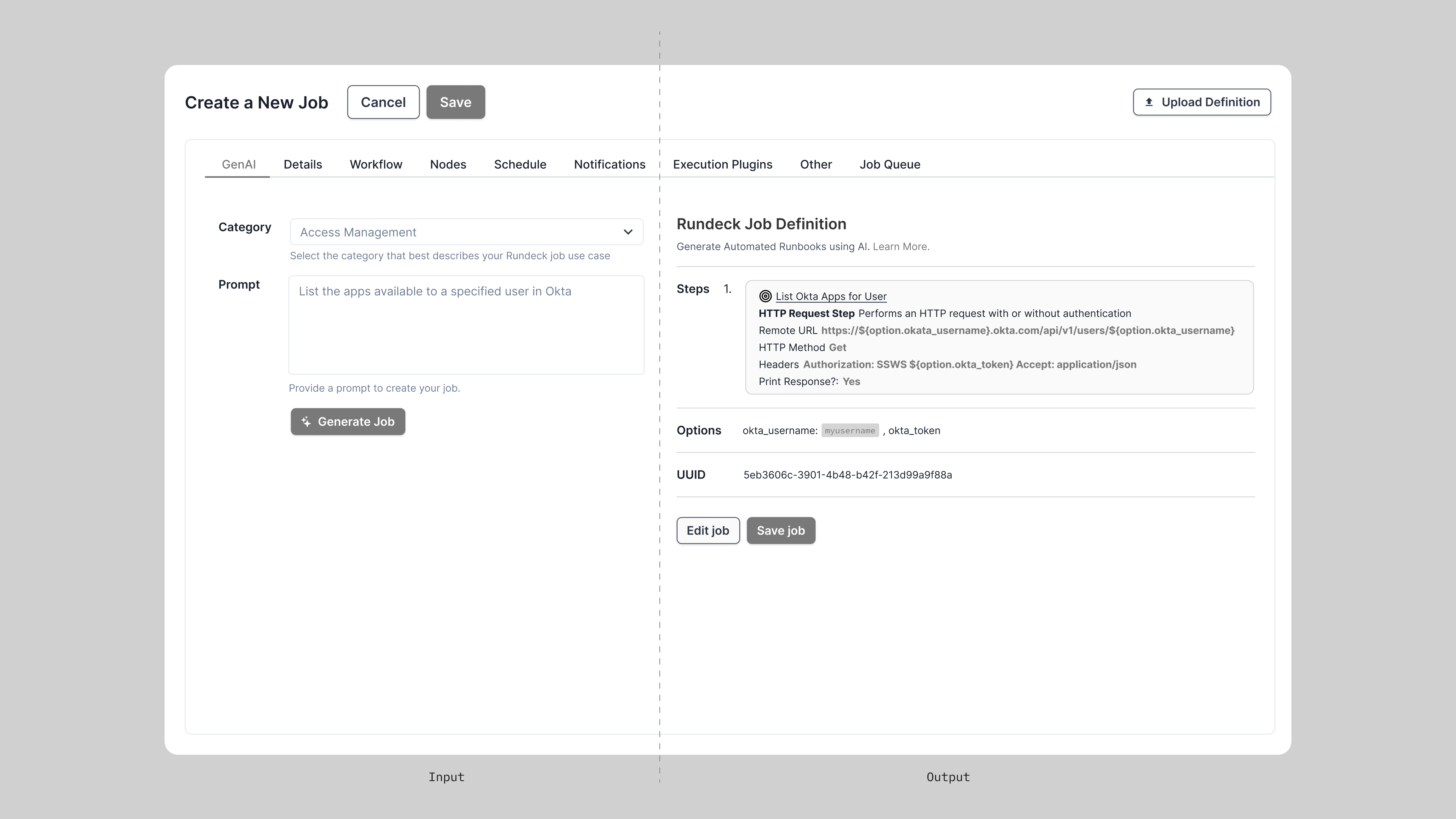
An early split-panel exploration separated input from output. This pattern did not provide the user with agency over the job creation process, as the experience ended after a single prompt.
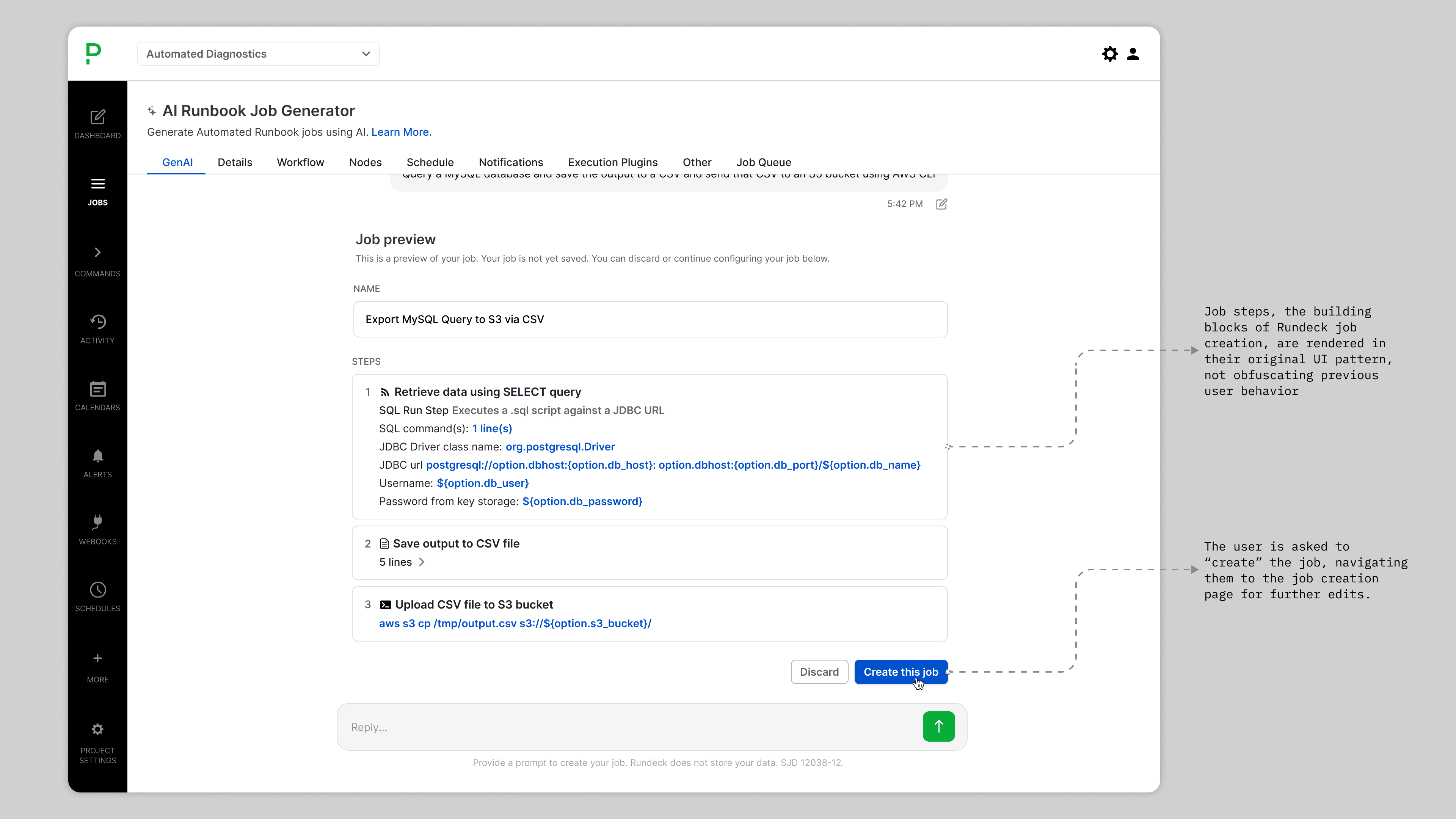
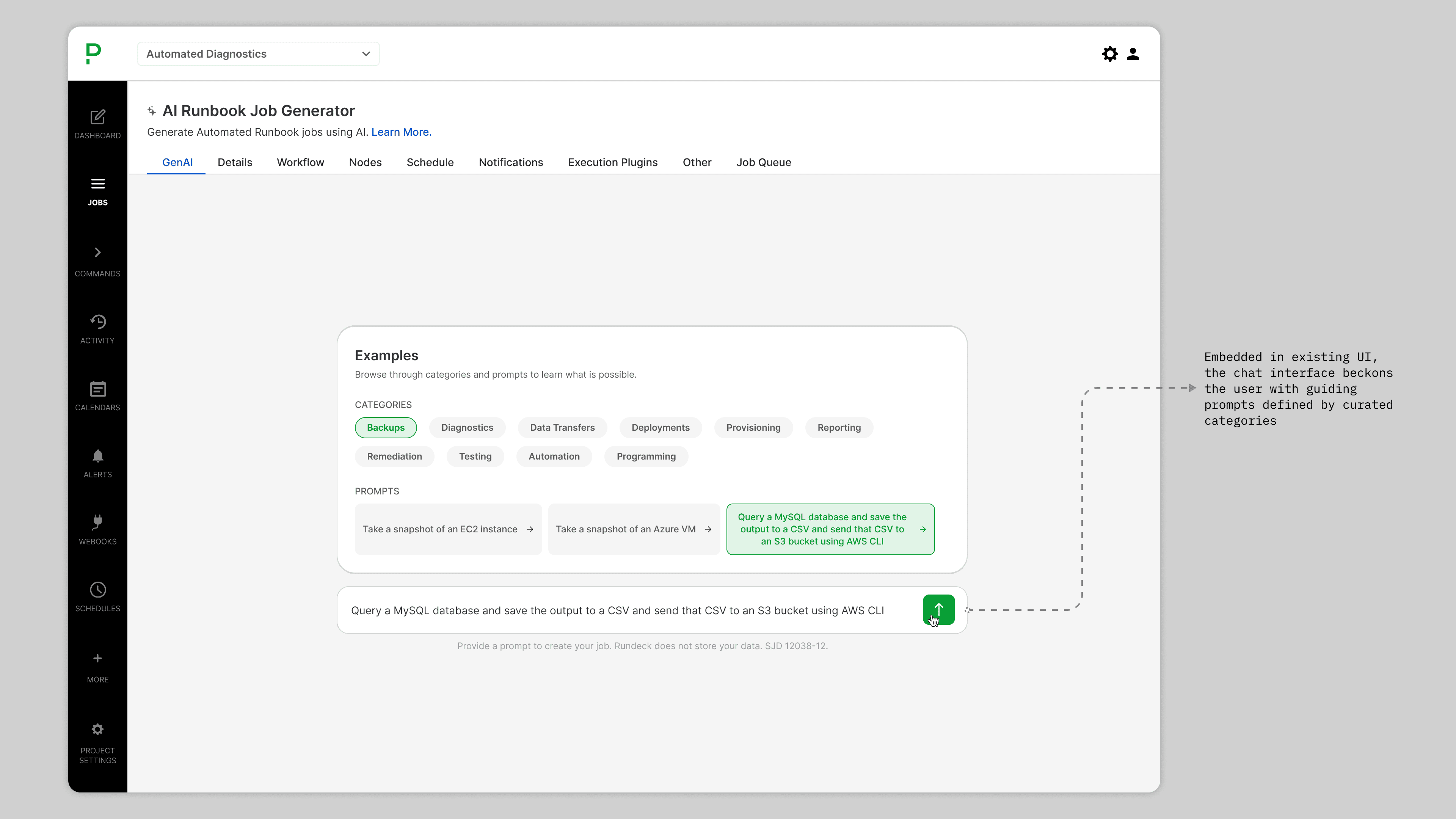
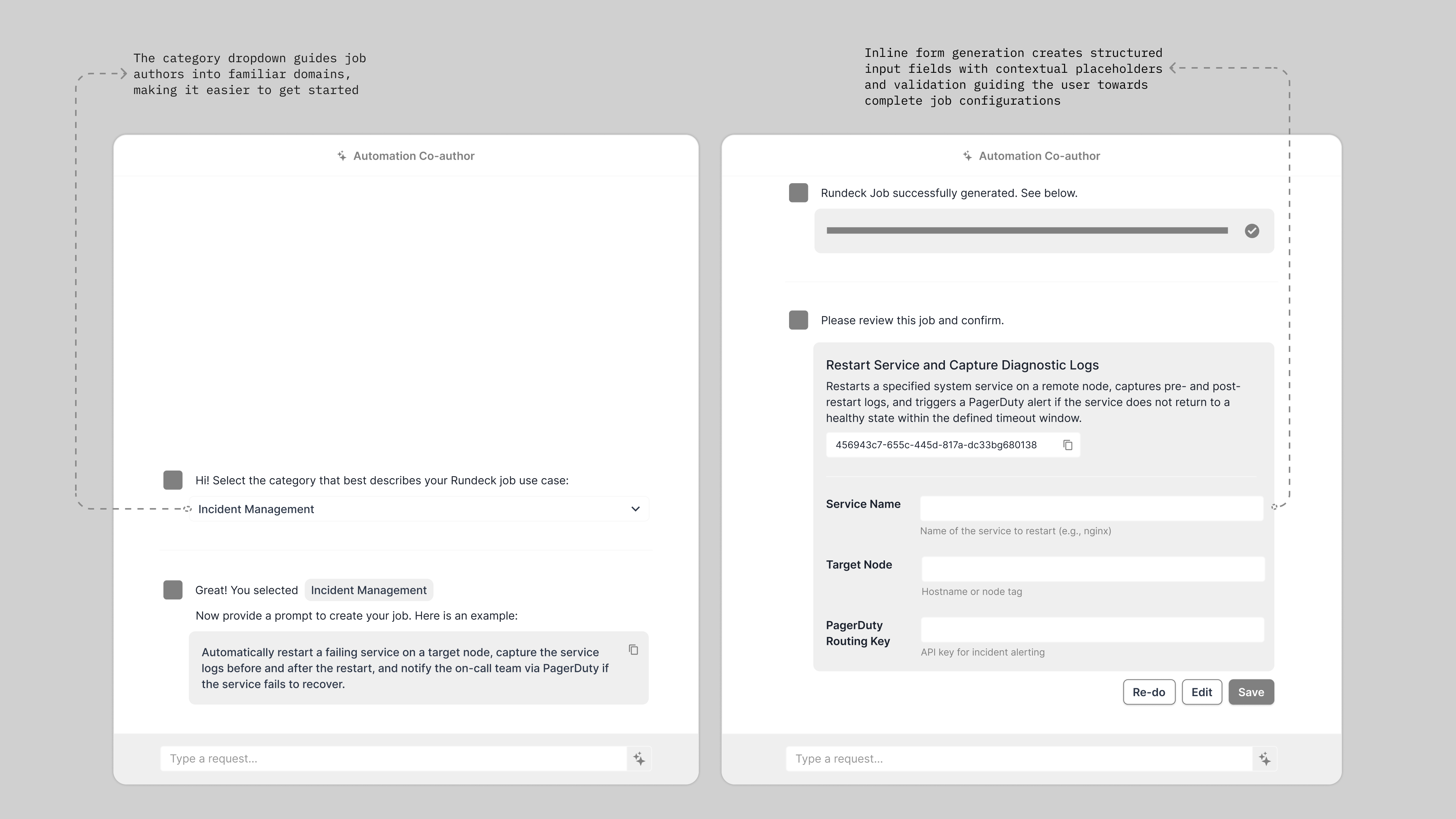
I explored a chat-like interface anchored inside the existing job creation tabs, requiring input from the user during the generative process to allow for full agency over the build.
Onboarding disguised as navigation, category chips and example prompts are designed to help the user understand feasbility, while the job build preview breaks the output into numbered, scannable steps.
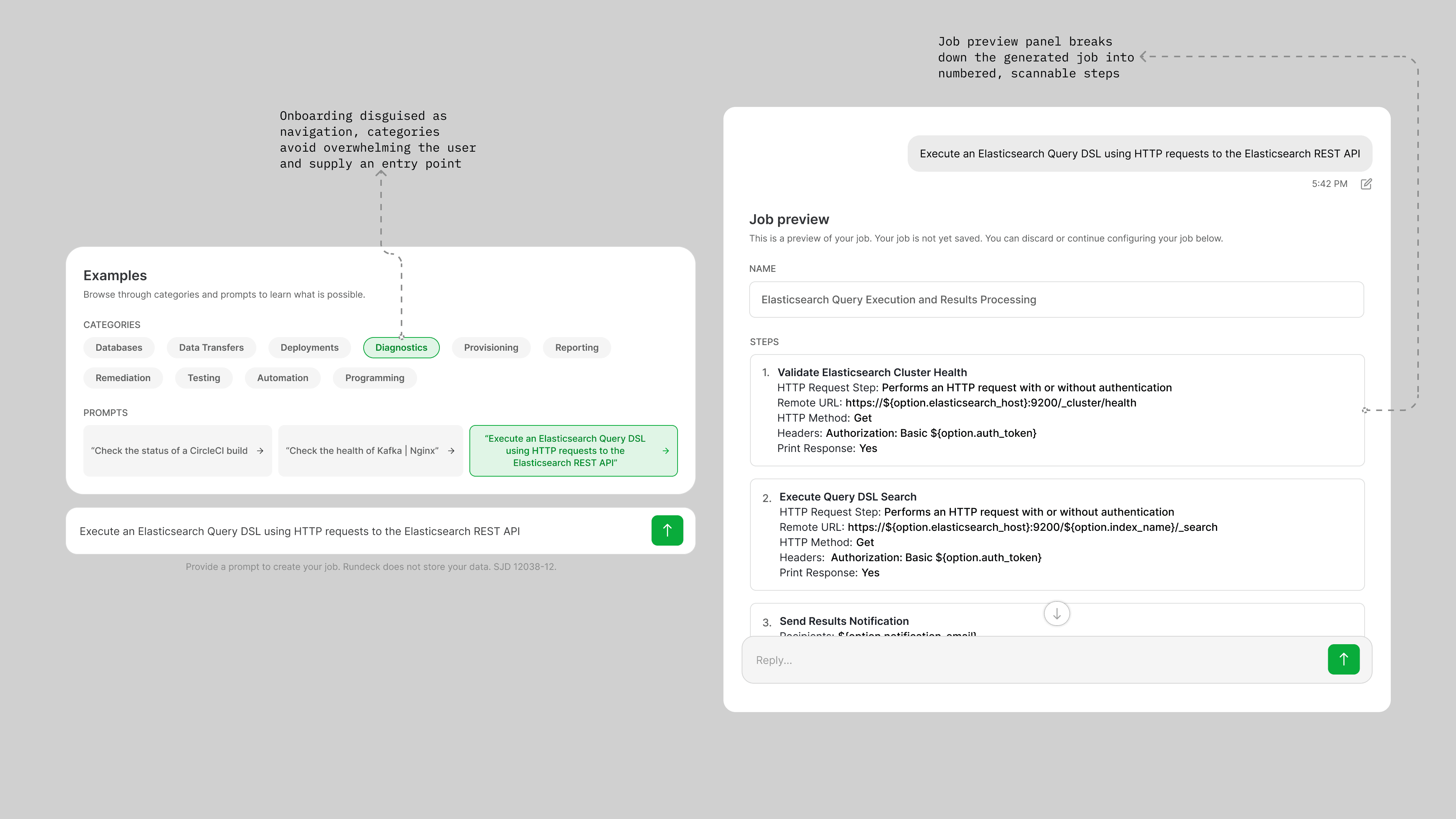
The interface is embedded directly into Rundeck’s existing UI. Categories and example prompts guide the user toward job generation.
After submitting a prompt, a progress bar and status text give users real-time feedback while the job is being generated.
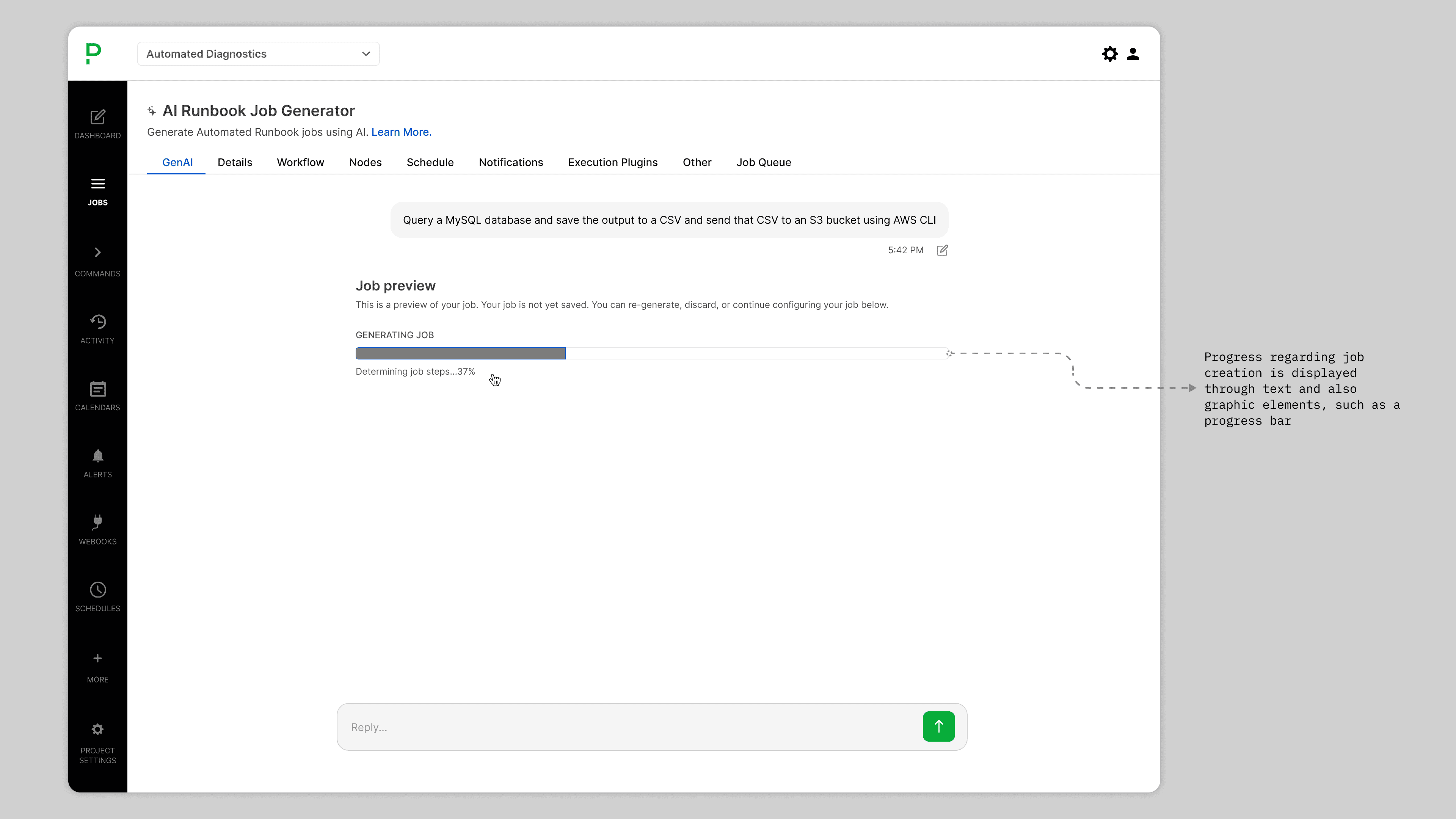
The generated job surfaces as a named preview with discrete, expandable steps, rendered in Rundeck’s native UI so the output feels familiar, not foreign.