Impact:First GenAI project shipped in Rundeck · Lowered job creation barrier for non-expert users
Role:Product Design, Design Exploration, Mentorship
Collaborators:Jake Cohen (PM), Jenny, Will Su
Why
Building automated jobs in Rundeck required deep platform knowledge — general users rarely created jobs because the complexity and prerequisite knowledge were too high.
How
A GenAI-powered job creator that lets users type a natural language prompt and generates a ready-to-go workflow automatically — the first GenAI feature completed within Rundeck.
Impact
First GenAI project shipped in Rundeck · Lowered job creation barrier for non-expert users
I designed the first GenAI feature completed within Rundeck — making automated job creation as simple as typing a prompt.
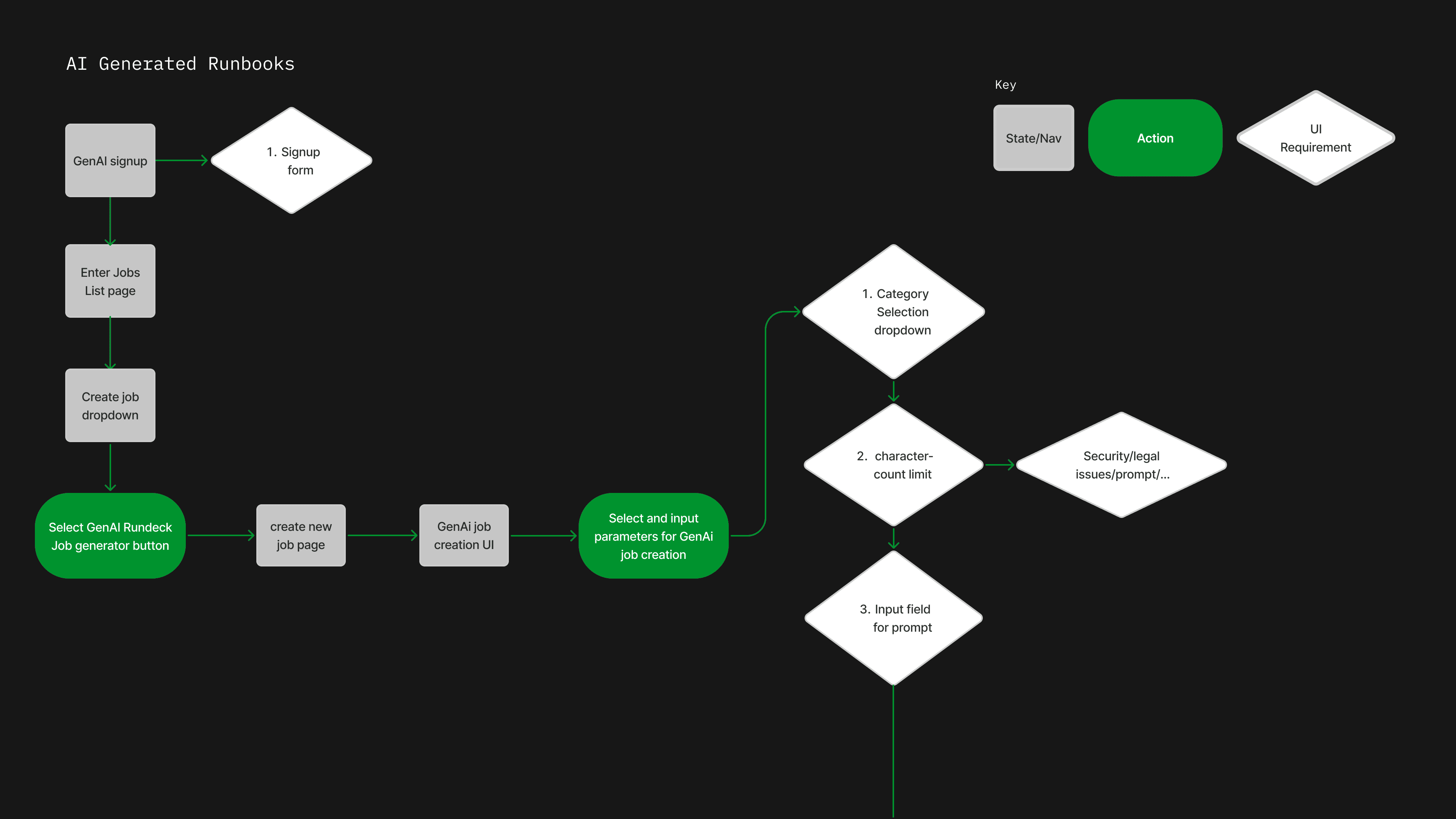
I mapped the full user flow — from signup and job list entry through GenAI parameter selection: category, character limit, and prompt input.
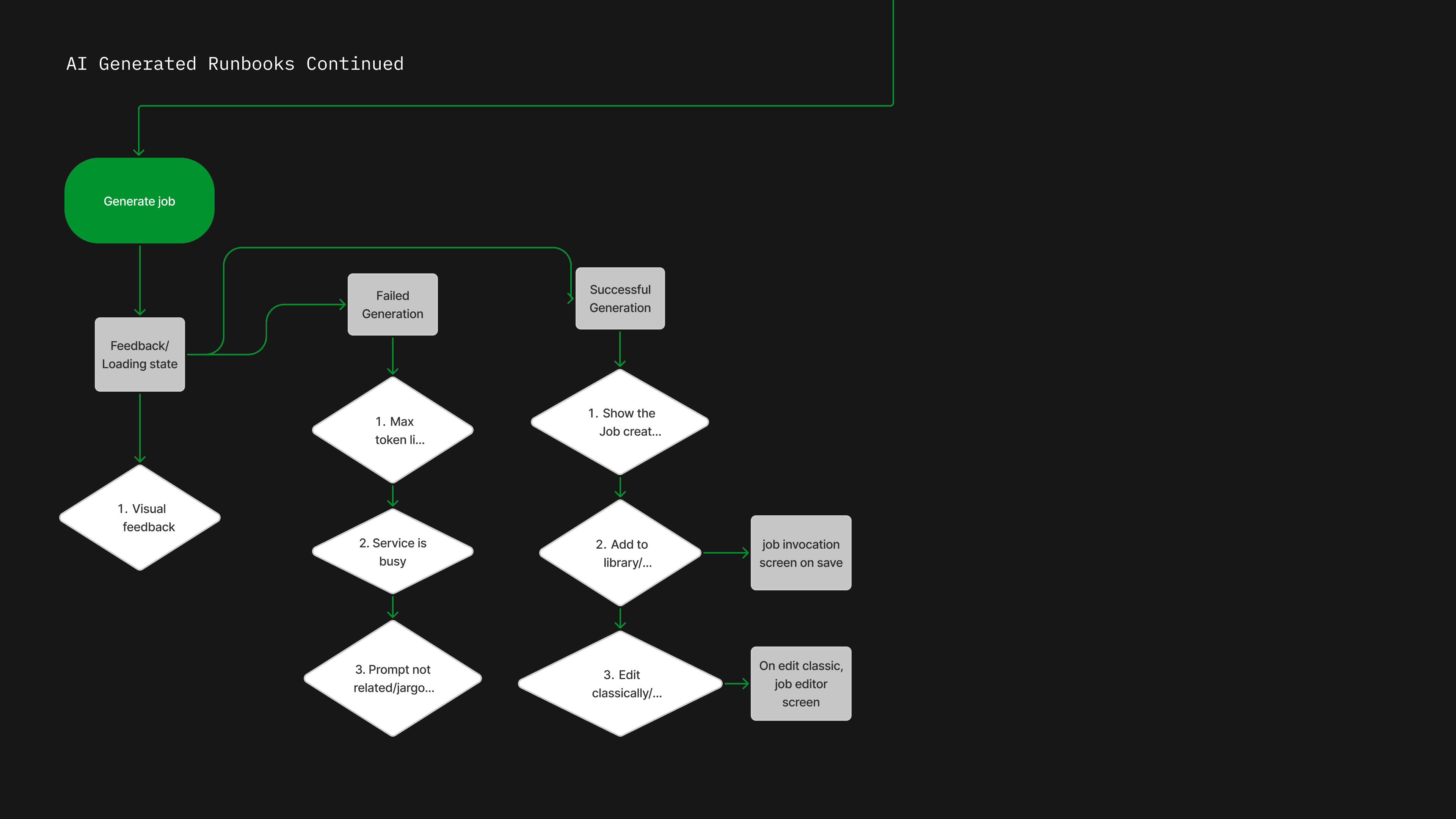
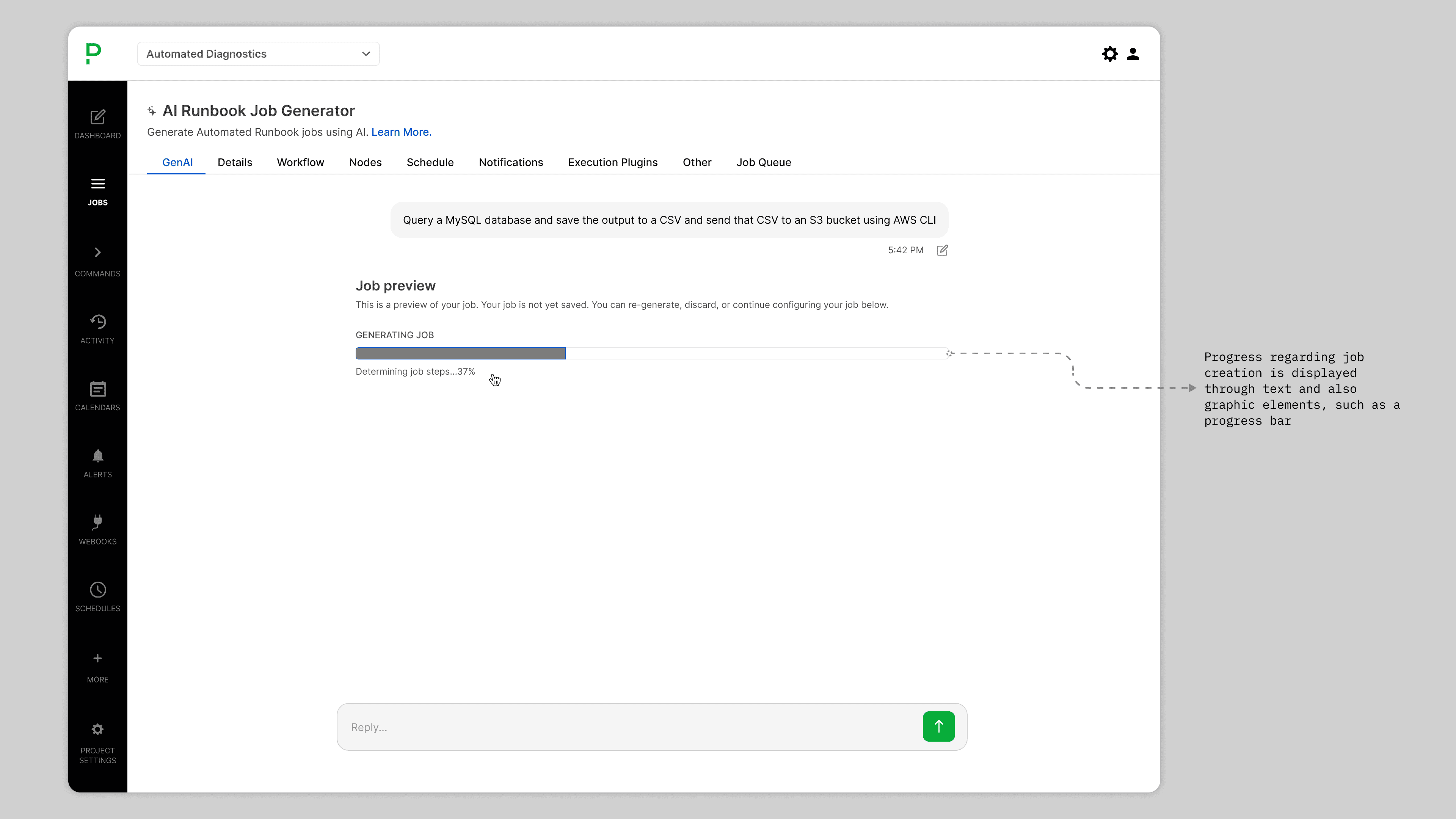
I accounted for every outcome after generation — loading states, failure handling, and three success paths.
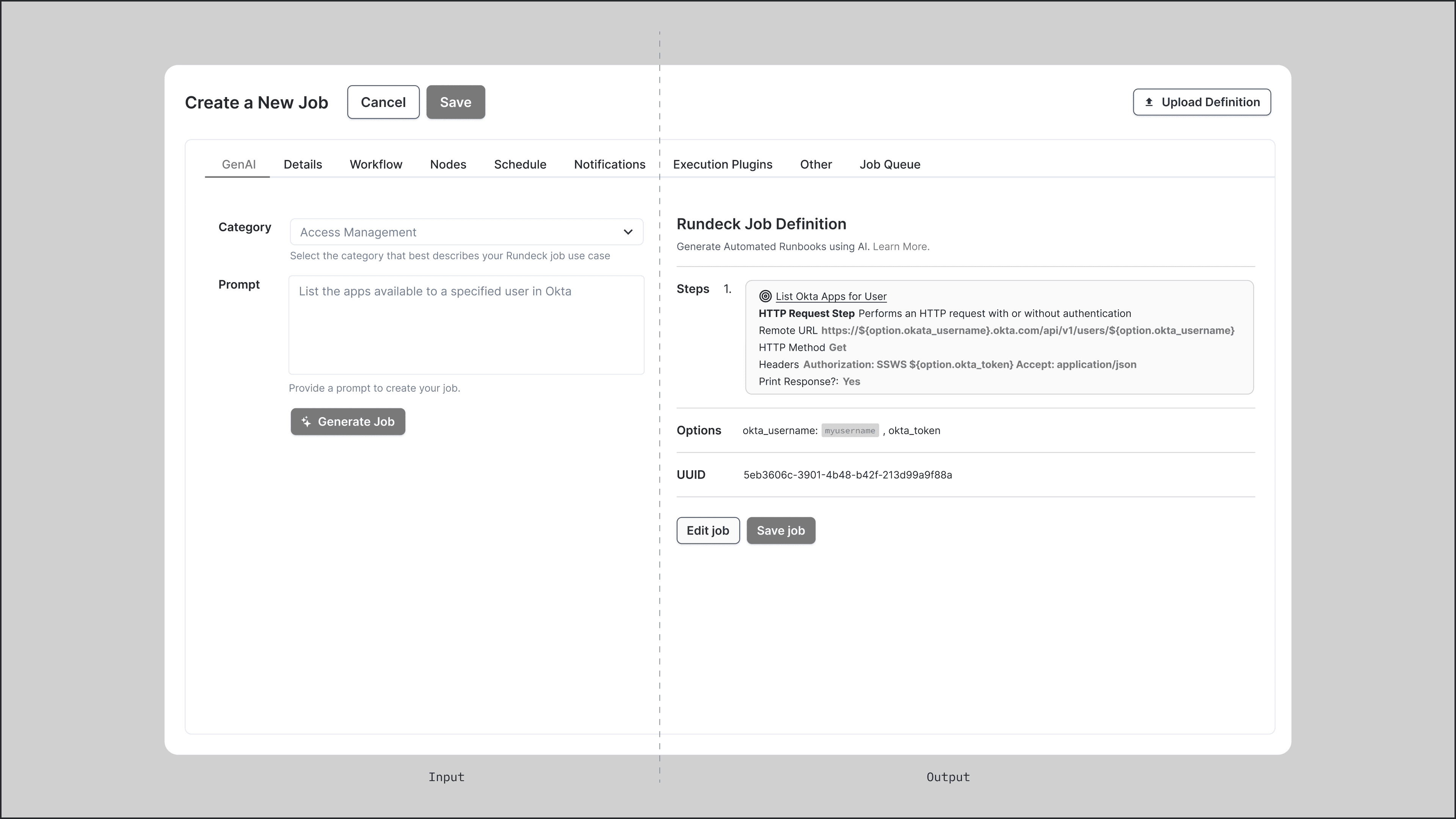
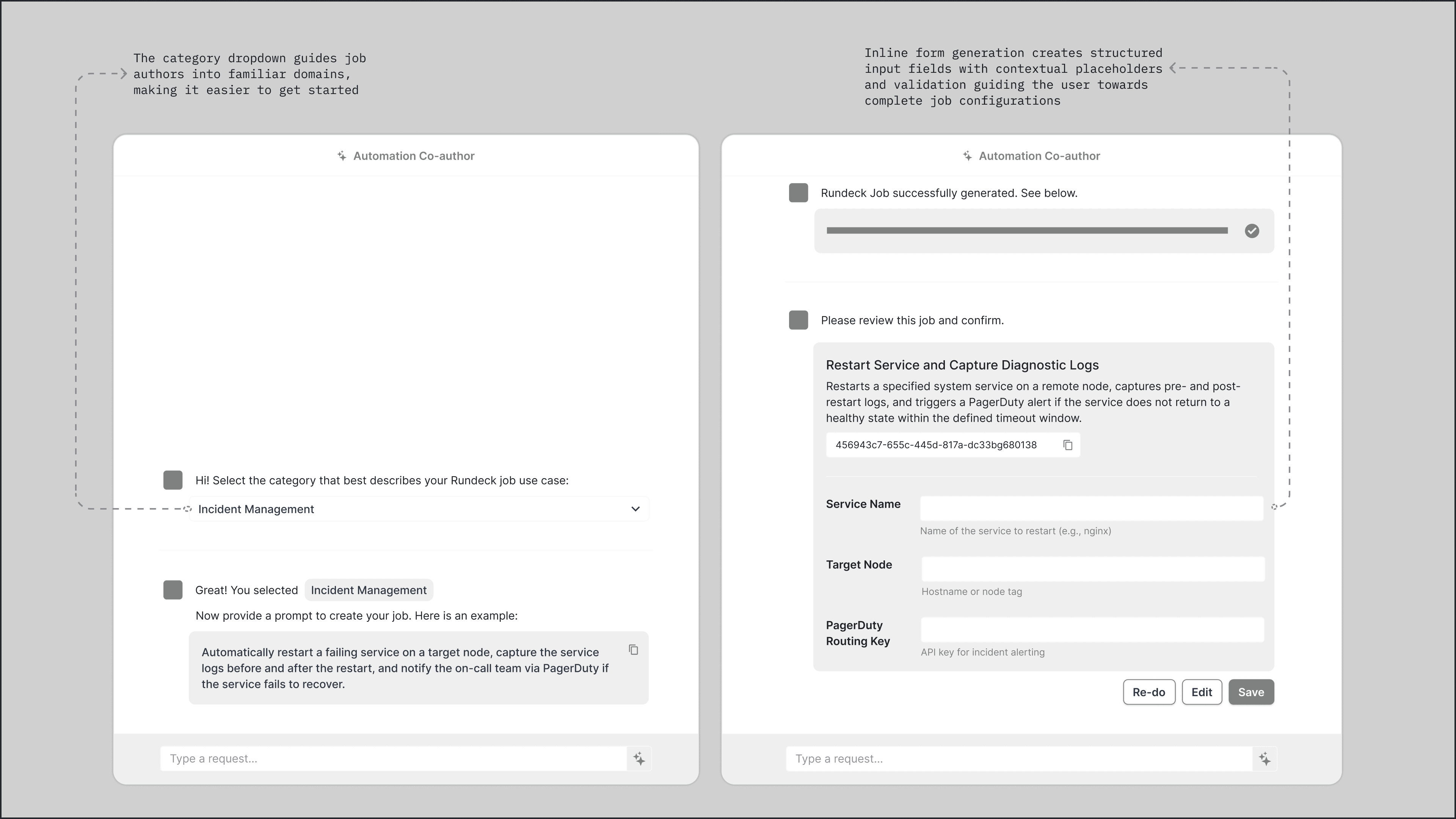
An early split-panel exploration separated input from output — a category dropdown and prompt field on the left, the generated job definition rendered on the right.
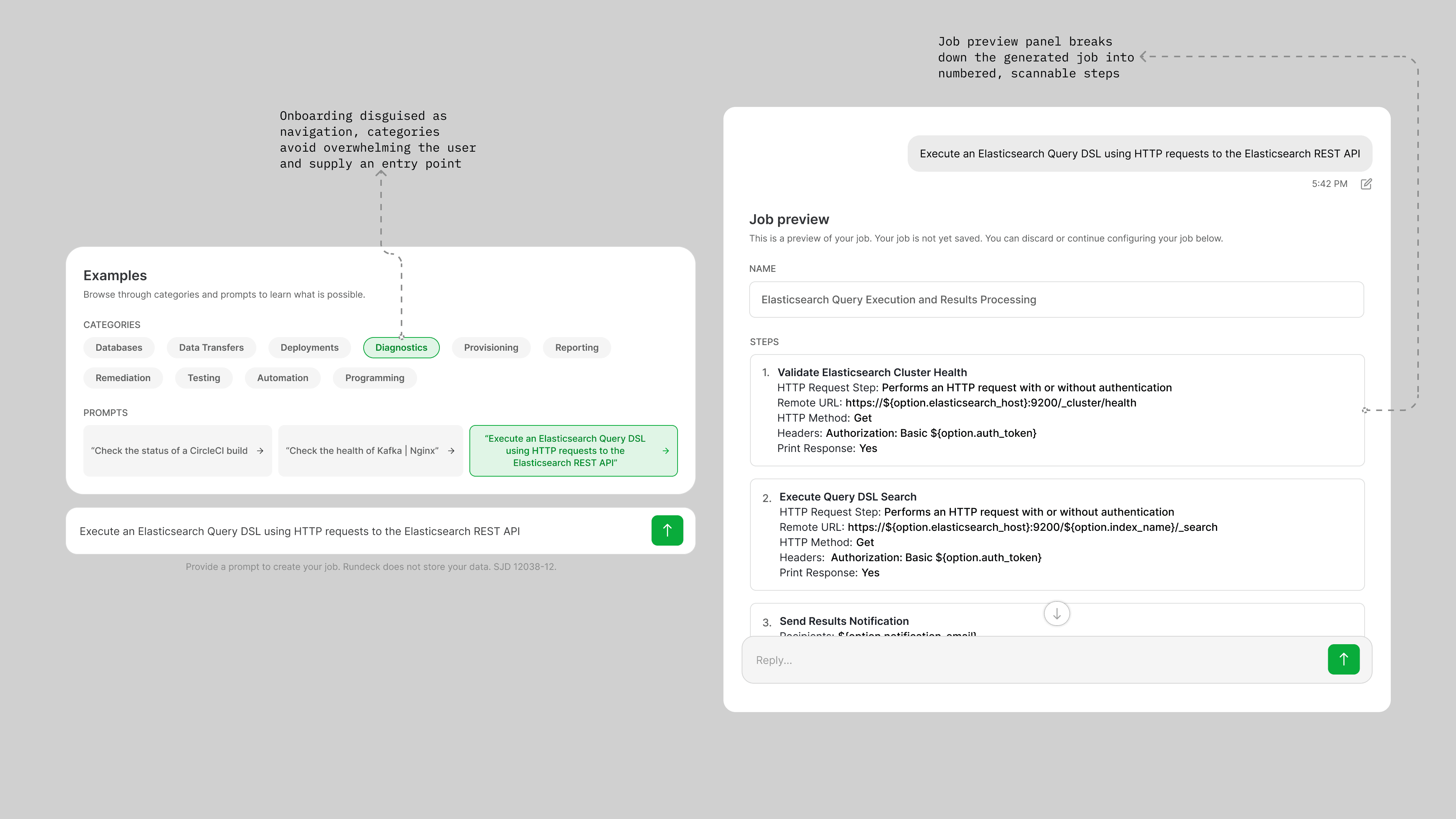
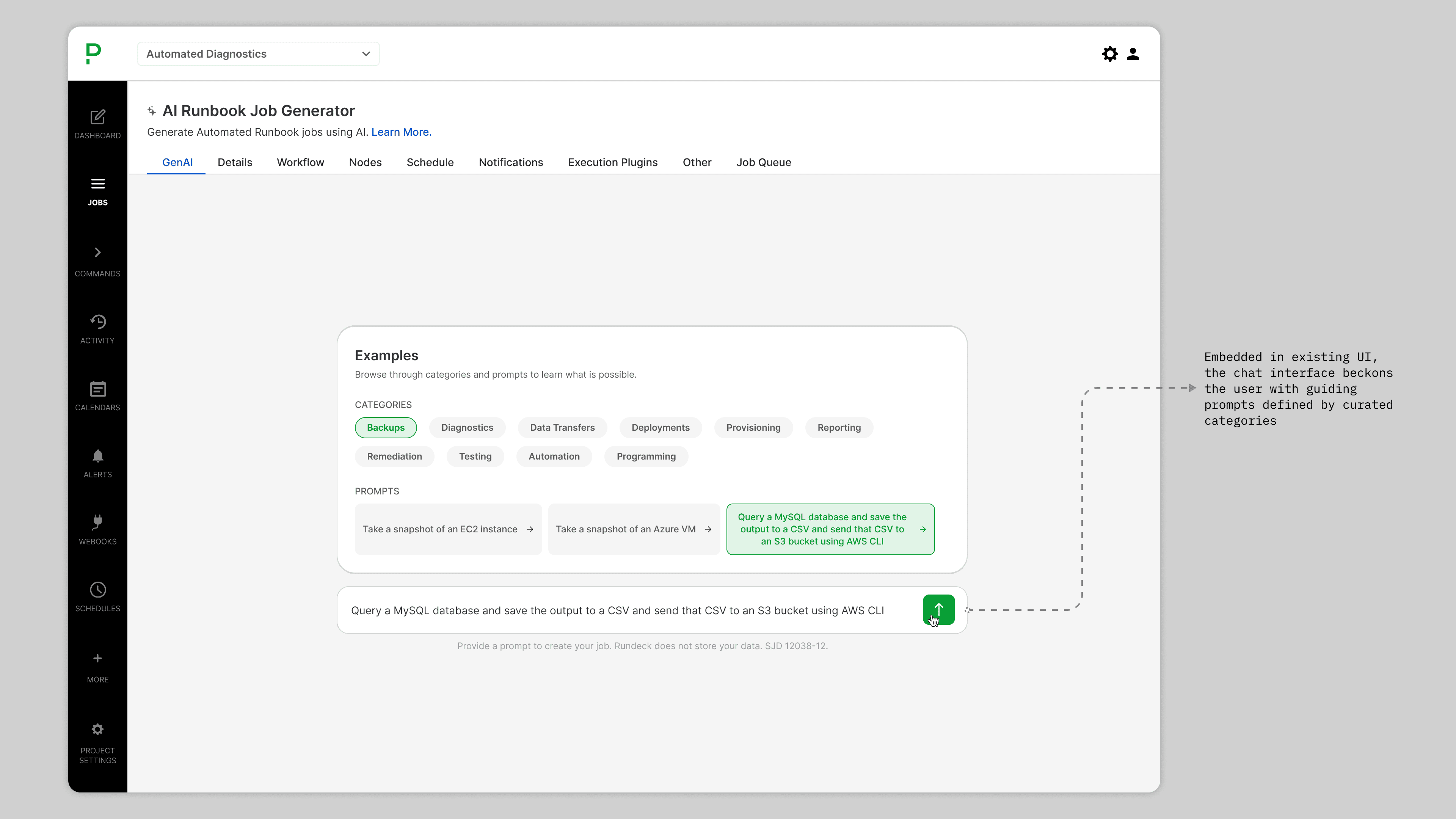
I explored a chat-like interface anchored inside the existing job creation tabs, using curated categories as onboarding and a prompt input as the only required action.
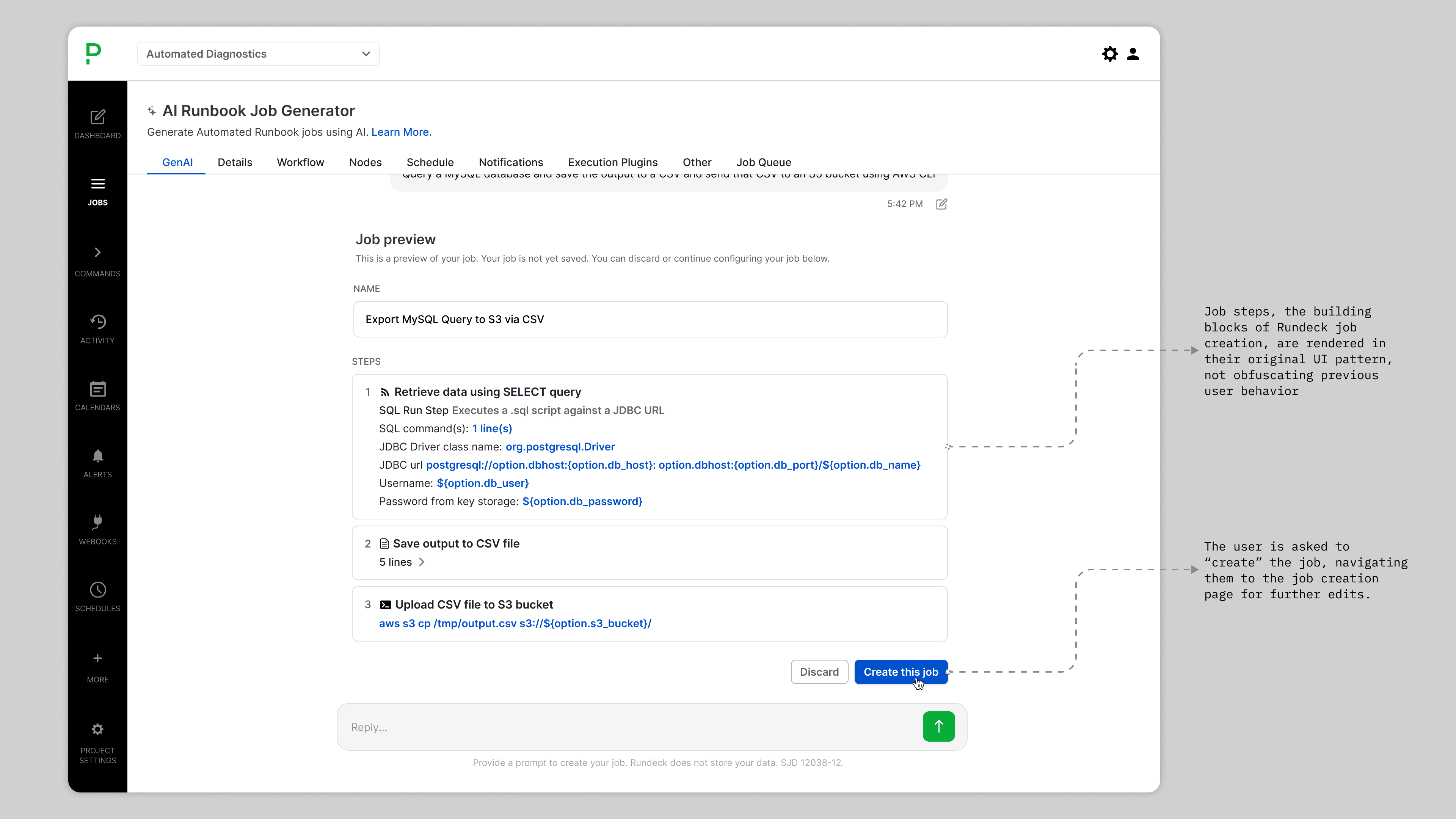
Onboarding disguised as navigation — category chips orient users without a blank slate, and the job preview breaks the output into numbered, scannable steps.
The final interface embedded directly into Rundeck’s existing UI — categories and example prompts guide users, with the selected prompt populated in the input field.
After submitting a prompt, a progress bar and status text give users real-time feedback while the job is being generated.
The generated job surfaces as a named preview with discrete, expandable steps — rendered in Rundeck’s native UI patterns so the output feels familiar, not foreign.